AnkiWeb
- Rating
- 0 (👍 0 · 👎 0)
- Updated
- 2026-04-16
- Anki versions
- 25.09.2~
- Description language
- en
AnkiWeb addon 1922057561
Syncs Youdao and Eudic wordbooks to Anki with images, clickable phonetics/pronunciation, notes, phrases, examples, detecting card additions/deletions.
Open on AnkiWeb GitHub Ask about alternatives
active
| Min Anki | Max Anki | Updated |
|---|---|---|
| 25.09.2 | + | 2026-04-16 |
Loading…
Syncs Youdao and Eudic dictionary wordbooks into Anki cards, fetching images, audio, notes, phonetics, phrases, and examples while handling additions and deletions.
Syncs Youdao and Eudic vocabulary lists to Anki, automatically adding or removing cards with images, pronunciations, definitions, phonetics, phrases, and examples.
Imports Eudic and Youdao vocabulary into Anki with definitions, pronunciation, examples, phrases, and images, requiring Eudic login for full content.
Synchronizes Youdao and Eudic dictionary word lists into Anki cards, though it may be broken and was only tested on Windows with Youdao.
Synchronizes Youdao and Eudic dictionary word lists to Anki, detecting changes and adding/deleting cards while retrieving images, pronunciations, definitions, phonetics, phrases, and examples.
Imports Eudic and Youdao vocabulary into Anki with context, Chinese/English definitions, British/American pronunciations, term highlighting, and Japanese, English, and French support.
Dict2Anki-ng is a fork from Dict2Anki(原作者:@megachweng),迁移到 Qt 6 和新版 anki,主要功能与原版一致。
Dict2Anki 是一款方便有道词典、欧路词典用户同步生成单词本卡片至Anki的插件
Note:
无论导入有道还是欧路词典的生词本,都推荐使用【查询 - 有道 API】。欧路词典API容易触发限流。
Anki --> 工具 --> 附加组件 --> 获取插件
插件代码:107281012
同步
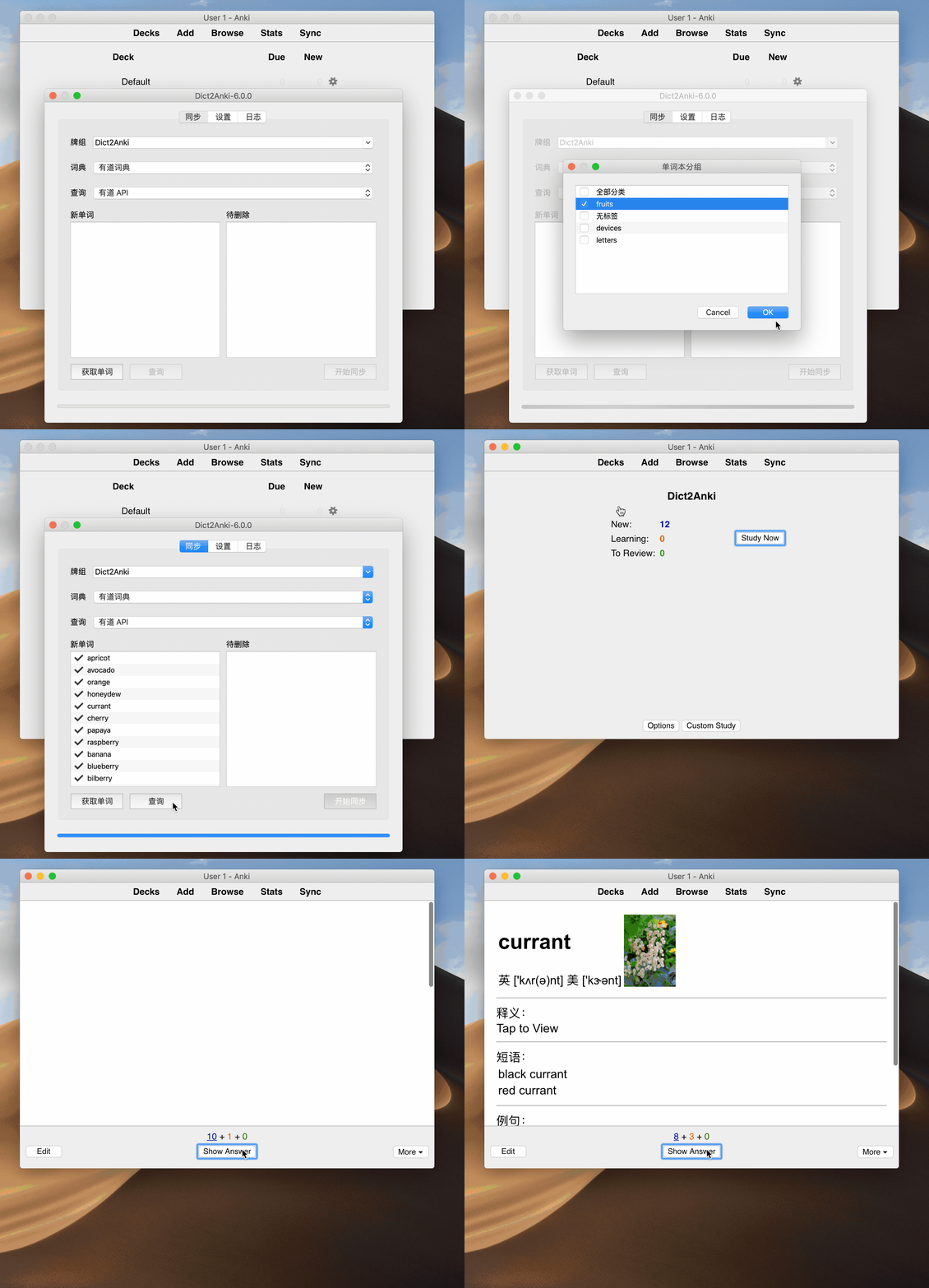
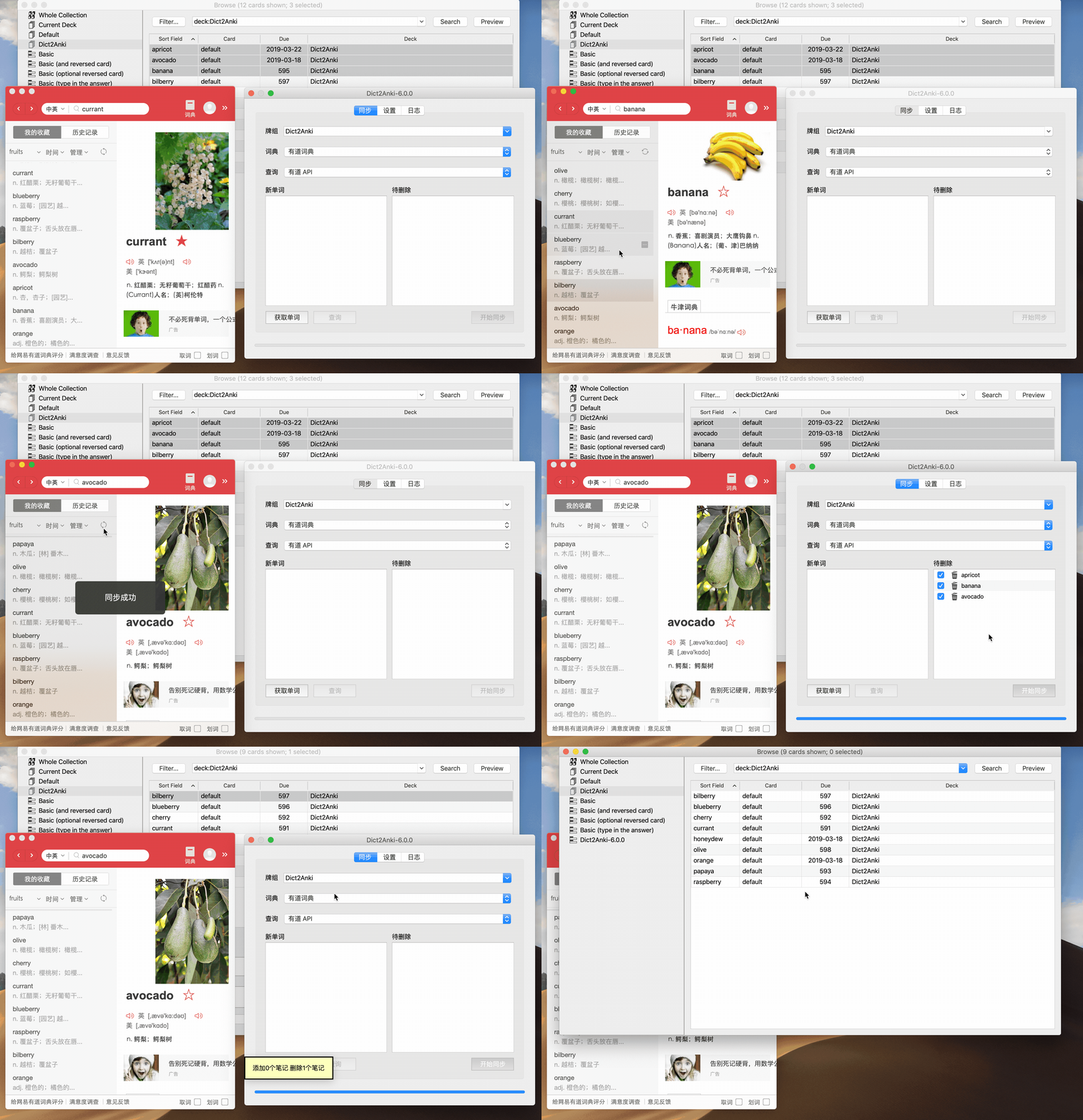
同步删除
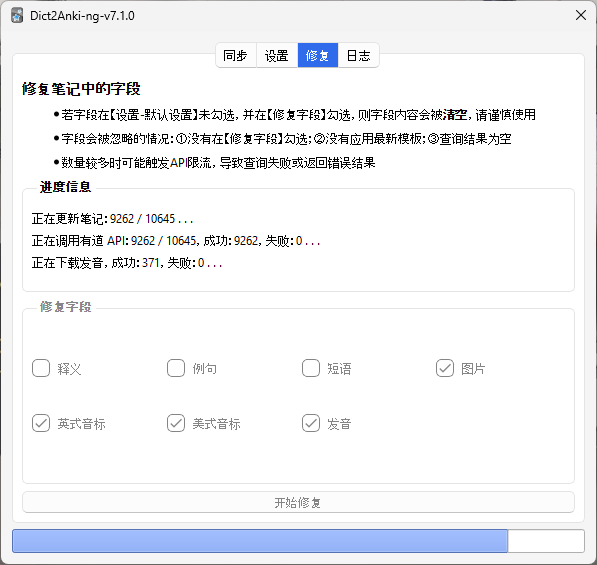
字段修复
<table> 格式。v7 前的版本保存 src=xxx,现在保存完整的 <img src="xxx">,手动添加图片不会打乱排版了。非常欢迎你的贡献,请PR前确保通过了全部单元测试 ./test.sh
Python version: 3.9
source ./venv/Scripts/activate
pip install -r requirements.txt
在 Anki addon 目录中创建本项目的 symbolic link:
Windows:
在 Command Prompt 中执行(如果策略组中没开启 Create Symbolic Link 权限,就需要管理员权限)
mklink /D %APPDATA%\Anki2\addons21\Dict2Anki-ng-debug full\path\to\project_root
Linux:
ln -s full/path/to/project_root "$HOME/.local/share/Anki2/addons21/Dict2Anki-ng-debug"
macOS: TODO
创建 debug 配置:以 vscode 为例,使用 debugpy 作为 debugger,其他 IDE / text editor 可作参考
// .vscode/launch.json
{
  "version": "0.2.0",
  "configurations": [
    {
      "name": "debug anki",
      "type": "debugpy",
      "request": "launch",
      "program": "${workspaceFolder}/runanki.py",
      "python": "${workspaceFolder}/venv/Scripts/python",
      "console": "internalConsole",
      "env": {
        "QT_FORCE_STDERR_LOGGING": "1"
      },
      "justMyCode": false
    }
  ]
}
按 <kbd>F5</kbd> 进行调试并自动运行 venv 环境中的 Anki,在 Anki 菜单栏 - Tools 中会多一个 Dict2Anki-ng-debug 选项,打开它即可调试插件。
如果用
pdb作为 debugger,可运行python -m pdb runanki.py进行调试。
./test.sh
其中分别测试了 config.json version 1 和 version 2。
使用 Qt Creator 导入 ./addon/UIForm/xxx.ui 设计 UI,然后生成对应的 xxx.py 文件
pyuic6 -o ./addon/UIForm/xxx.py ./addon/UIForm/xxx.ui
(cd .. && python -m Dict2Anki)