AnkiWeb
- Rating
- 2 (👍 0 · 👎 2)
- Updated
- 2021-01-07
- Anki versions
- 2.1.38~
- Description language
- en
AnkiWeb addon 1976864607
Consults Collins, Macmillan, or BaBla dictionaries to record definitions, pronunciations, phrases, or translations into configured Anki card fields.
Open on AnkiWeb GitHub Ask about alternatives
abandoned
| Min Anki | Max Anki | Updated |
|---|---|---|
| 2.1.0 | 2.1.38+ | 2021-01-07 |
Loading…
Creates Anki flashcards by fetching Cambridge Dictionary definitions, UK/US pronunciations, transcriptions, audio, example sentences, related phrases and idioms for entered words.
Downloads pronunciation audio from sources including JapanesePod, Beolingus, Collins, Duden, Wiktionary, and others, adding it to Anki cards, though some sources no longer work and setup is needed.
Fetches Cambridge Dictionary definitions, UK/US pronunciations, transcriptions, audio, irregular verb forms, examples, and related phrases to create Anki flashcards.
Automatically fills Anki cards with pronunciation, definitions, synonyms, Japanese translations, and related info, plus cloze and DeepL modes, using Merriam-Webster and Weblio APIs.
Pronounces highlighted words or phrases in Anki using Merriam-Webster and Google TTS across 27 languages, with customizable hotkeys, button options, and phrase playback modes.
Provides instant popup translation on text highlight and double-click dictionary lookups in Anki, supporting nine languages, audio pronunciation, contextual details, and Ctrl-click inline field editing.
You can choose between Collins, Macmillan and BaBla.
Features for Collins
Query all definitions and phonetic transcriptions for a word.
Features for Macmillan
Query all definitions, example phrases and phonetic transcriptions for a given word.
Features for Babla
Query only words translated for a destination language.
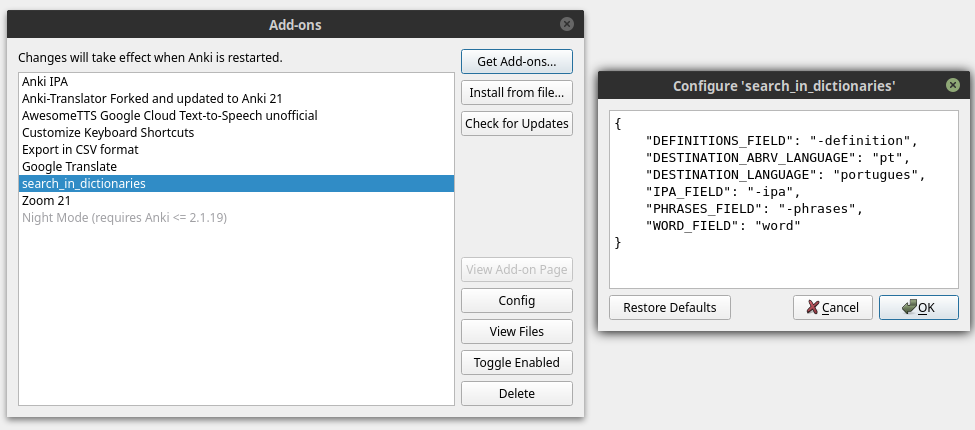
Configure your dictionary, go to menu Tools --> Add-ons or type: Ctrl+Shft+A
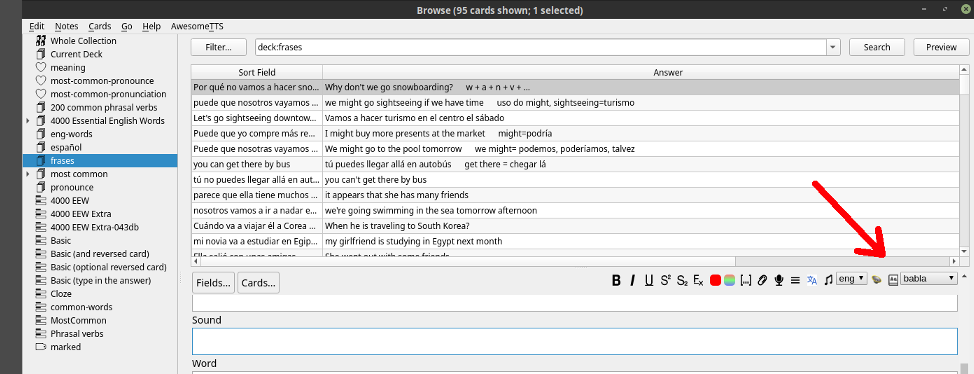
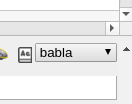
Only choose the dictionary in the drop-down-list and click on the button.
WORD_FIELD is the field to be used for queries.
DEFINITIONS_FIELD is used in conjuction with the name of choose dictionary.
For example: if configuration is:
"DEFINITIONS_FIELD":"-definitions"
and you choose the dictionary Collins than:
you need in your card a field named: collins-definitions
PHRASES_FIELD works in the same way as DEFINITIONS_FIELD
IPA_FIELD works in the same way as DEFINITIONS_FIELD
DESTINATION_ABRV_LANGUAGE is used only for Babla dictionary.
DESTINATION_LANGUAGE is used only for Babla dictionary.
If you don't know the abreviation of your destination language, access the site:
https://bab.la/
access the dictionary section, choose your language and look into the address bar.
This Add-On is also posted on the [Anki Add-Ons Website].
You can use the Add-On Installer, which is integrated into Anki, to install the Translator.
Or you can download this project as a zip and uncompress the folder into your Anki Addon folder (../addons21/Anki-Translator-master).
The source code of this Add-On is found in https://github.com/danilobatistaqueiroz/search-in-dictionaries.git