AnkiWeb
- Votes
- 0 (👍 0 · 👎 0)
- Updated
- 2026-10-28
- Anki versions
- 2.1.1~
- Languages
- Python, JSON
- Description language
- en
AnkiWeb addon 1994595118
Plays continuous looping background audio like white noise or ambient tracks independently of card audio, with importable tracks, adjustable volume, and always-on or review-only playback modes.
Open on AnkiWeb GitHub Ask about alternatives
active
| Min Anki | Max Anki | Updated |
|---|---|---|
| 2.1.1 | + | 2026-10-28 |
Loading…
Adds a Pomodoro timer, offline multi-track soundscape mixer, and smart card-audio ducking directly to the review screen, plus guided break and breathing exercises.
Plays user-provided looping ambient background sounds during Anki study, with menu controls for enabling, selecting soundscapes, adjusting volume, and remembering settings.
Keeps a silent dithered audio stream running during reviews so macOS AirPods stay connected, preventing missing, broken, or dropped audio from short clips.
Loops silent audio while Anki runs to keep Bluetooth headsets connected and eliminate playback lag at the start of card audio.
Plays, crops, denoises, and slows or speeds audio while showing pitch contours for pronunciation practice, with batch processing and non-destructive file handling.
Adds a waveform audio player to cards with click-and-drag region selection, persistent per-card bookmarks, looping, playback-speed control, and keyboard shortcuts for language practice.
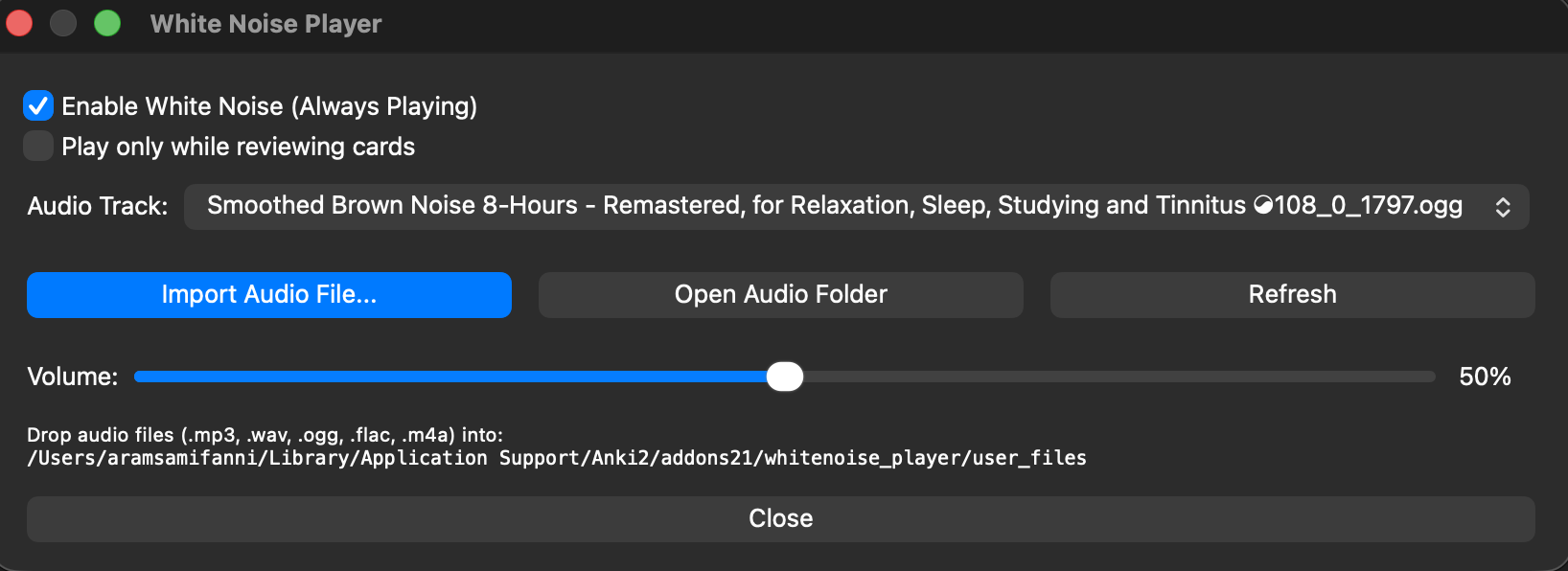
A lightweight Anki add-on that plays continuous looping background audio (white noise, brown noise, ambient tracks, etc.) while you use Anki, without interrupting card review audio.
.mp3, .wav, .ogg, .flac, .m4a, .aac, or .opus files directly into the add-on's user_files directory.0% – 100%) directly in the settings dialog.A lightweight Anki add-on that plays continuous looping background audio (white noise, brown noise, ambient tracks, etc.) while you use Anki, without interrupting card review audio.
.mp3, .wav, .ogg, .flac, .m4a, .aac, or .opus files directly into the add-on's user_files directory.0% – 100%) directly in the settings dialog.addons21 folder:git clone https://github.com/aramrw/anki_whitenoise.git whitenoise_player