AnkiWeb
- Rating
- 12 (👍 10 · 👎 2)
- Updated
- 2023-08-16
- Anki versions
- 2.1.9~
- Description language
- en
AnkiWeb addon 211799575
Converts math delimiters while creating cards, replacing $$ with \[ and \], and $ with \( and \), via a toolpane button or configurable Alt+M shortcut.
Open on AnkiWeb GitHub Ask about alternatives
abandoned
| Min Anki | Max Anki | Updated |
|---|---|---|
| 2.1.0 | 2.1.9+ | 2023-08-16 |
Loading…
Converts MathJax $…$ and $$…$$ delimiters to \(...\) and \[...\] in the Editor, selected Browser notes, and current Reviewer note while preserving formatting and undo.
Automates math equation delimiter conversion in Anki cards, replacing $$ with \[ \] and $ with \( \) while preserving formatting and adding an editor button.
Replaces the editor's dropdown-menu generator to display shortcut tooltips for MathJax inline, block, chemistry, LaTeX, LaTeX equation, LaTeX math env., and Edit HTML.
Converts dollar-sign LaTeX from AI models into Anki-compatible MathJax instantly on paste or in bulk for an entire collection.
Converts pasted Wikipedia or MathJax mathematical formulas in the Anki editor into a standard equation box containing the corresponding LaTeX.
Converts Typst math code into MathML or SVG for Anki flashcards, with inline/block editors, shortcut replacements, and custom preamble functions.
Math Delimiters Replacer is an Anki addon that automates the conversion of math equation delimiters while creating cards. It replaces $$ with \[ and \], and $ with \( and \), maintaining formatting and enhancing note readability.
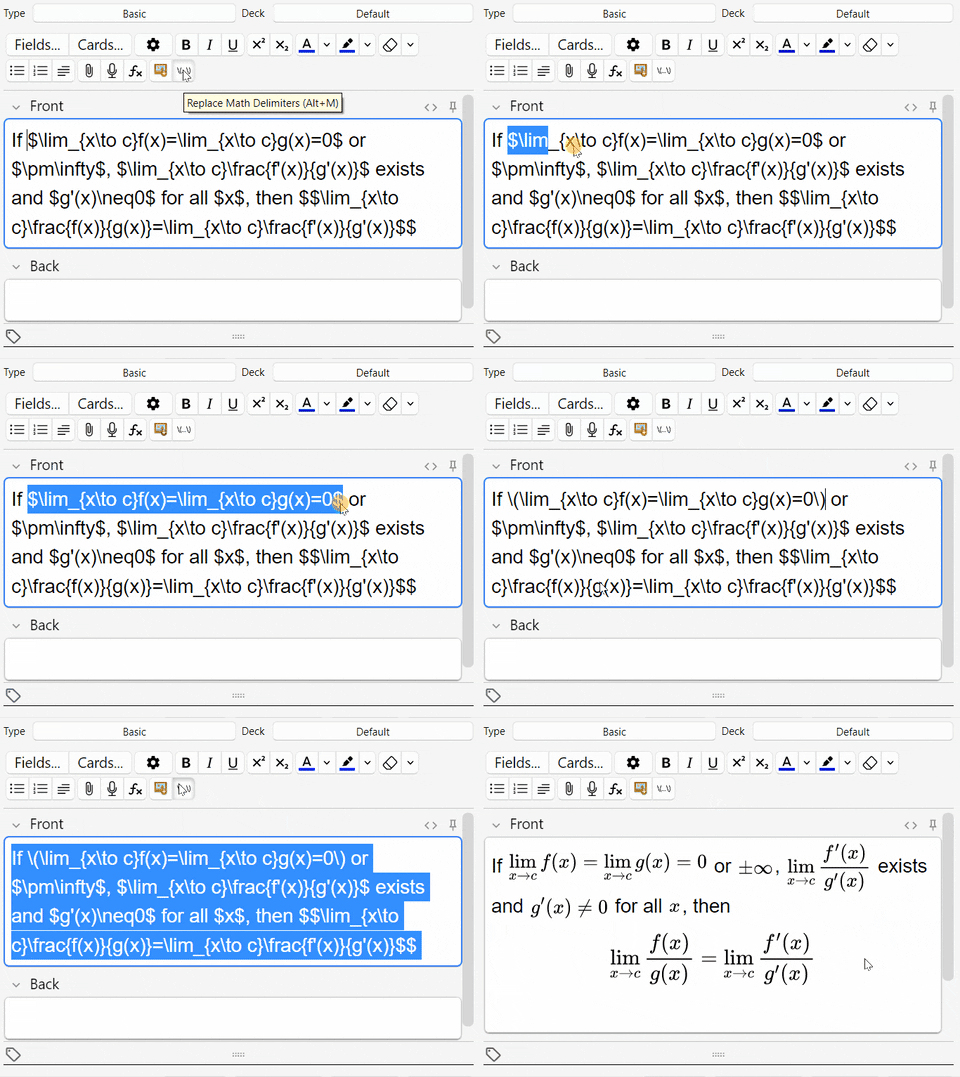
$$) and inline ($) equations.Alt+M (configurable)..ankiaddon) from releases or AnkiWeb.{\\(...\\)} button in the toolpane.$ and $$ delimiters (Ctrl+A selects all text).\(, \) and \], \[.Alt+M.For more info, bugs, or suggestions, visit GitHub repository.
This addon is licensed under the MIT License.