AnkiWeb
- Rating
- 1 (👍 1 · 👎 0)
- Updated
- 2020-06-28
- Anki versions
- 2.1.26~
- Description language
- en
AnkiWeb addon 2121493325
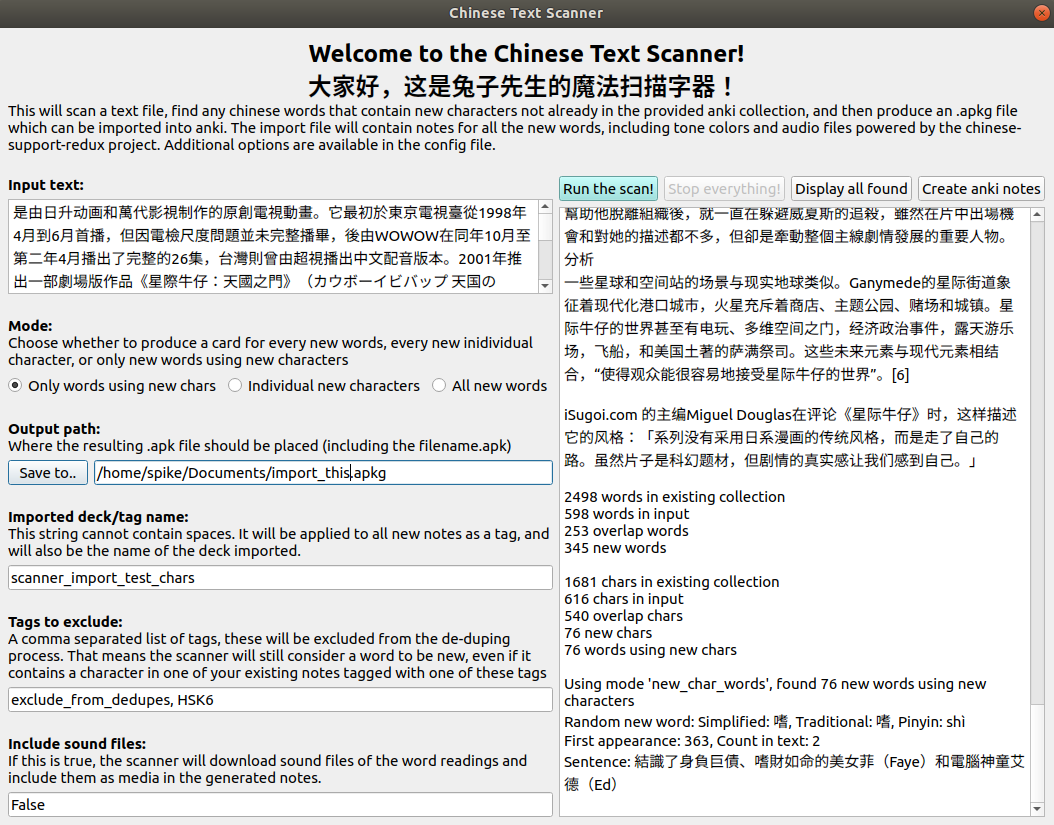
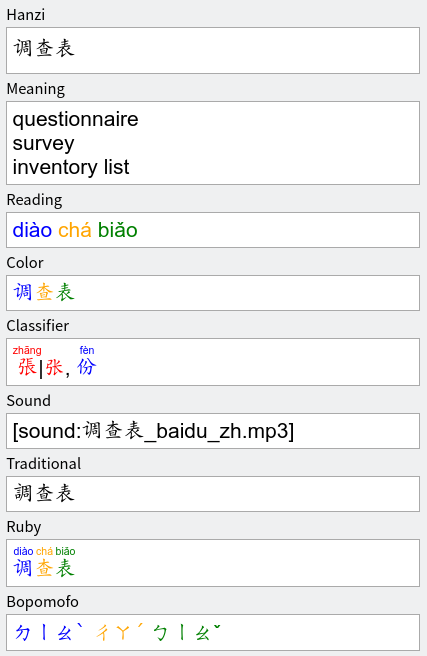
Scans text or pasted files for Chinese words not already in an Anki collection, adding notes with tone colors and audio, configurable by note type and new-character filtering.
Open on AnkiWeb GitHub Ask about alternatives
abandoned
| Min Anki | Max Anki | Updated |
|---|---|---|
| 2.1.0 | 2.1.26+ | 2020-06-28 |
Loading…
Automatically fills Chinese flashcard fields, adding part-of-speech and Kangxi radical filling alongside existing Hanzi, Pinyin, English, Bopomofo, audio, examples, frequency, and tone colours.
Automatically fills Chinese flashcard fields with translations, pinyin/Jyutping, audio, characters, Bopomofo, rubies, frequency, example sentences, and tone coloring.
Converts Simplified Chinese to Traditional Chinese and generates pinyin with tone marks automatically when leaving the Hanzi field in Anki.
Automatically fills Chinese note fields with translations, pinyin, audio, characters, definitions, examples, tone colors, and frequency for Anki 25.07+.
Generates tone-colored pinyin, bopomofo, and jyutping readings, simplified/traditional variants, and injects CSS/JS into Anki card templates for Chinese study.
Finds CC-CEDICT Chinese words using only characters from selected decks, missing HSK words, and analyzes character frequency, with results sorted by frequency or HSK level.
This will scan a text file, find any chinese words that contain new characters not already in the provided anki collection, and then produce an .apkg file which can be imported into anki. The import file will contain notes for all the new words, including tone colors and audio files powered by the chinese-support-redux project.
Here's an easy way to get started deving:
make testmake build - creates temporary virtualenv and grabs any dependencies we needchinese/_version.pymake package - cleans, builds, creates a new zip file in build/ dirBased on Chinese-Support-Redux by Joseph Lorimer which is based on the Chinese Support add-on by Thomas TEMPÉ and many others.