AnkiWeb
- Votes
- 0 (👍 0 · 👎 0)
- Updated
- 2026-10-18
- Anki versions
- 2.1.1~
- Languages
- Python, JSON
- Description language
- en
AnkiWeb addon 234915917
Converts images into text and LaTeX formulas offline using local OCR engines, with optional AI assistance, inserting editable results directly into Anki notes.
Open on AnkiWeb GitHub Forum topic Ask about alternatives
active
| Min Anki | Max Anki | Updated |
|---|---|---|
| 2.1.1 | + | 2026-10-18 |
Loading…
Converts mathematical formulae copied from Wikipedia or MathJax-enabled websites into standard Anki equation boxes containing the corresponding LaTeX, requiring manual installation of the lxml Python library.
Extracts text from clipboard images using Tesseract OCR, letting users paste screenshots of lecture slides or textbooks directly into Anki cards via a button or keyboard shortcut.
Enables fully hands-free Anki review by reading cards aloud, recognizing spoken answers, and scoring them with AI, OCR, and multi-language support.
Generates searchable OCR text in bulk from images in notes using Tesseract, storing it as image tooltips or a separate field.
Generates AI-assisted text and Edge TTS audio from Anki note fields using configurable OpenAI-compatible providers, with prompt templates, batch processing, and optional image OCR input.
Enables offline AI semantic and keyword hybrid card search on local CPU, with a browser semantic: prefix, a search dialog for previewing and suspending cards, and automatic model download.
Take a screenshot, a photo or a scan. Click OCR in the editor. Get clean text and LaTeX formulas in your note, with a compiled preview underneath. It works offline and for free; a paid AI is optional.
1. Install LaTeX (free). Formulas are shown as real LaTeX images, so your computer needs a LaTeX distribution: MiKTeX on Windows, MacTeX on macOS, TeX Live on Linux.
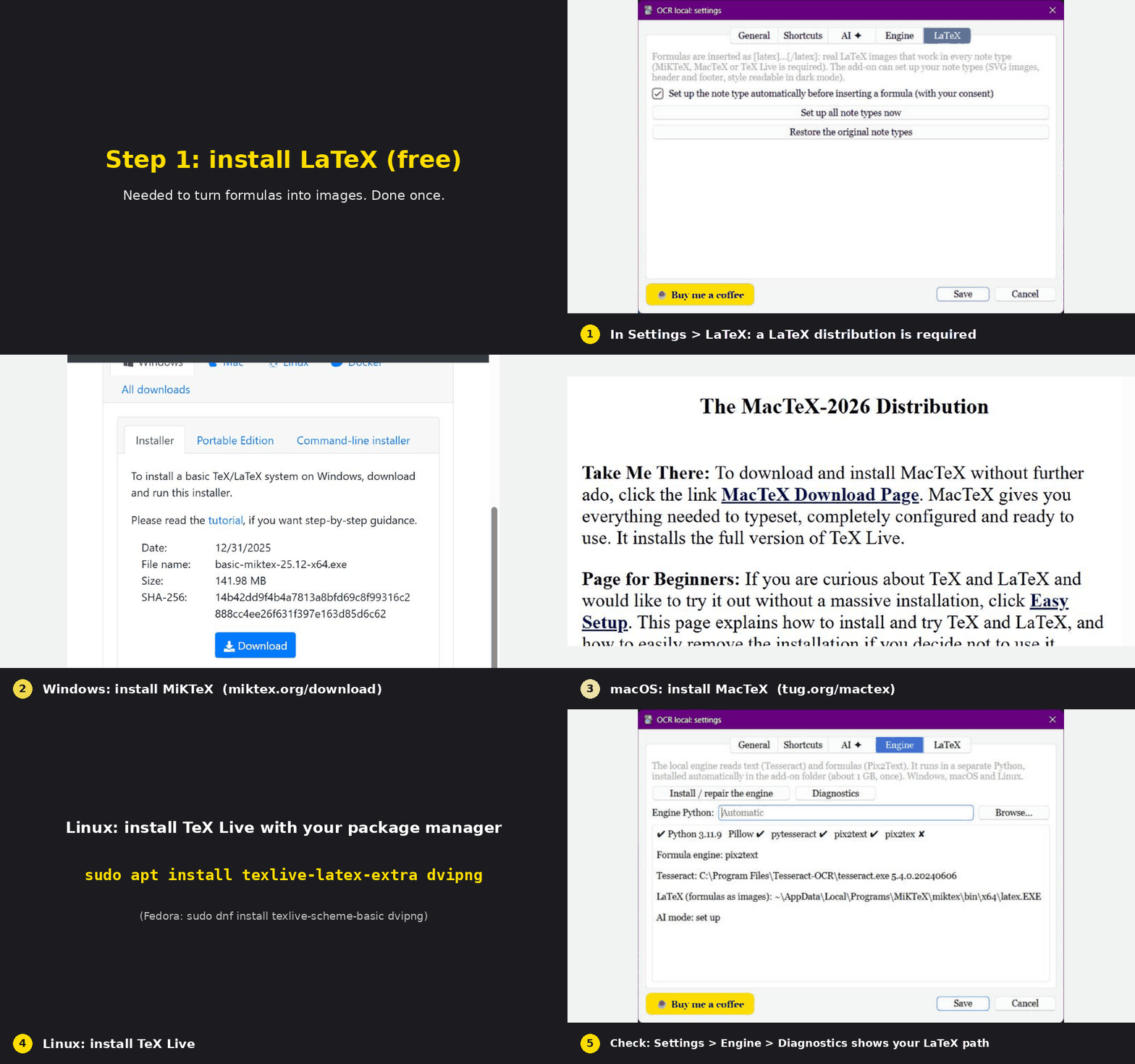
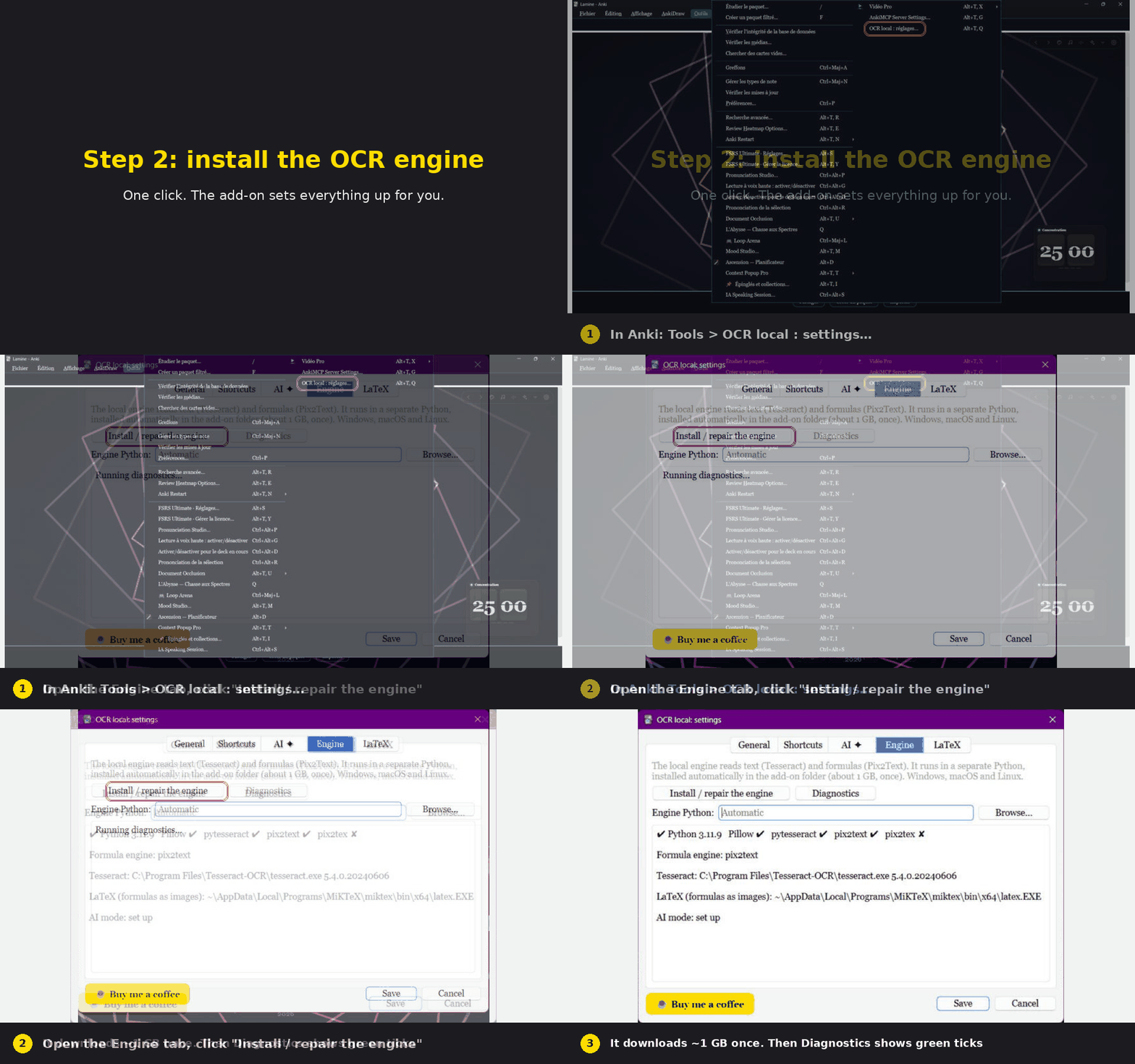
2. Install the OCR engine. Tools > OCR local: settings > Engine > "Install / repair the engine". It downloads about 1 GB, one time, and sets everything up inside Anki's add-on folder.
In the Add or Edit window click OCR, choose your image (or paste one), pick Formula, click Read image, then Insert into note.
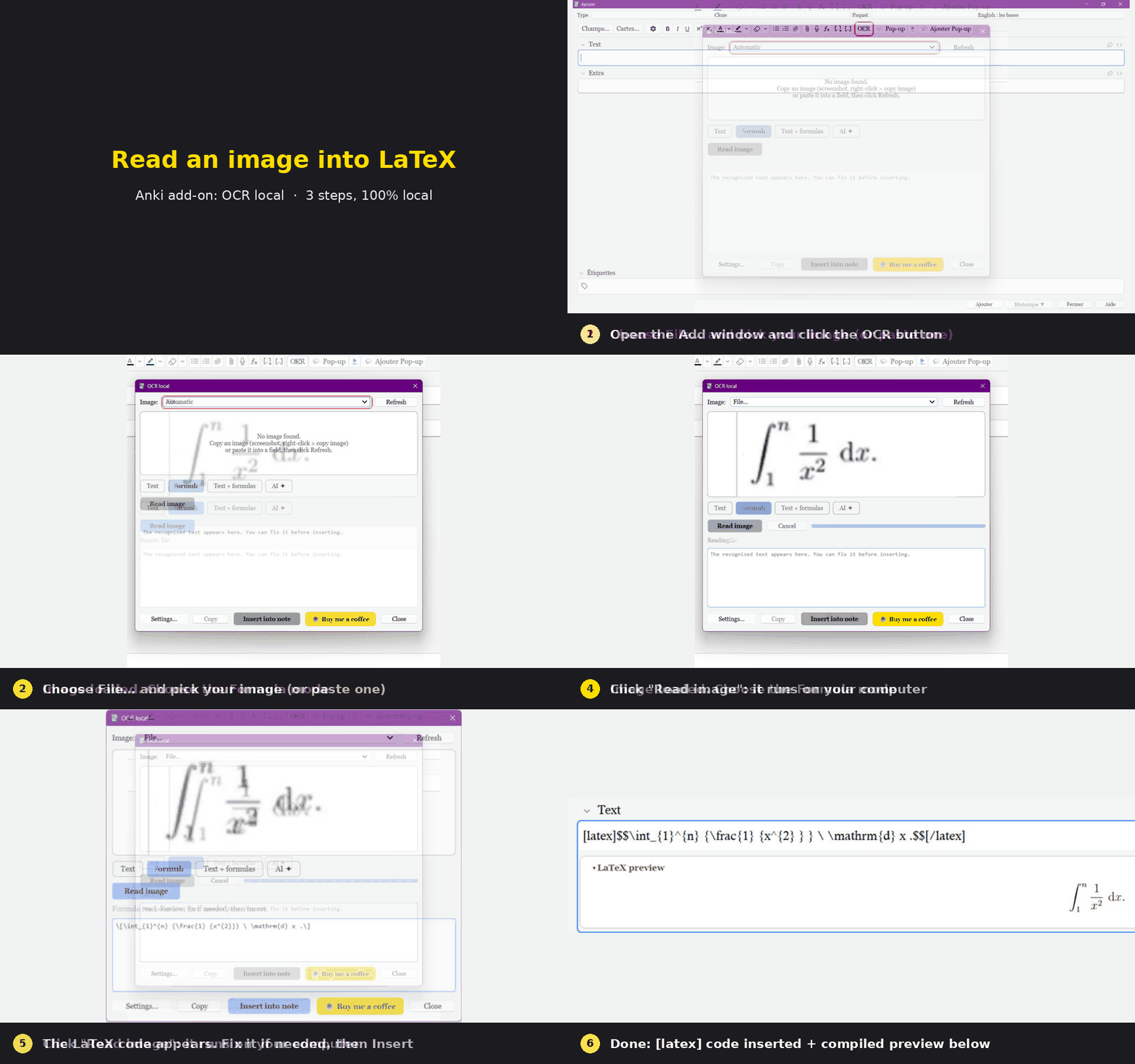
The animations are real captures of the add-on running in Anki, with captions added.
English, French, Spanish, German, Italian, Portuguese, Dutch, Russian, Japanese and Chinese. It follows Anki's language automatically. The translations are machine-made, so corrections are welcome. Right-to-left languages are not supported yet (English is used instead).
Nothing leaves your computer unless you turn on the AI mode and use it; then the image goes only to the provider you chose. No analytics, no tracking. Your API key stays in Anki's configuration on your computer.
Questions, bugs, ideas: https://github.com/DesosseBR/OCR-local---Image-to-text-and-LaTeX-offline-first-optional-AI-
If this add-on saves you time, a coffee helps me keep improving it:

Created by Habib Lamine Ouattara
```