AnkiWeb
- Votes
- 0 (👍 0 · 👎 0)
- Updated
- 2026-10-29
- Anki versions
- 26.09.3~
- Languages
- Python, JSON
- Description language
- en
AnkiWeb addon 4871893
Adds an answer-side button showing cited NBME/CMS summaries for the card or selected text, with customizable format, theme support, topic lookup and keyboard shortcuts.
Open on AnkiWeb Ask about alternatives
active
No GitHub repository linked.
| Min Anki | Max Anki | Updated |
|---|---|---|
| 2.1.66 | 26.09.3+ | 2026-10-29 |
Loading…
Opens a clinical-evidence search sidebar beside the reviewer, sending cleaned card text through preset or selected-text questions and returning cited answers without leaving Anki.
Enables semantic and keyword search across selected Anki notes, generating cited AI answers through local or cloud providers.
Displays up to four note fields in clean, customizable boxes after the answer is revealed, with side-by-side or 2×2 layouts, image zoom, and a show/hide hotkey.
Assigns Anki review actions—answer ratings, show answer, undo, or nothing—to mouse buttons, scroll-wheel movements, and long presses, configurable separately for question and answer sides.
Turns Anki into an offline AI tutor that answers questions by searching your own flashcards via Ollama, with optional web search and a chat interface.
Semantically evaluates typed Anki answers using multiple AI providers, providing a 0–10 score, improvement tips, review suggestions, configurable prompts, and multilingual feedback.
See what the NBME actually asked about the card you are reviewing, with citations, right under the answer.
OnlyHighYield turns your Anki reviews into NBME practice. Reveal a card, press What did the NBME ask?, and a short summary appears under the answer, built only from real NBME and CMS form questions, with every fact linked back to the exact form, block and question it came from.
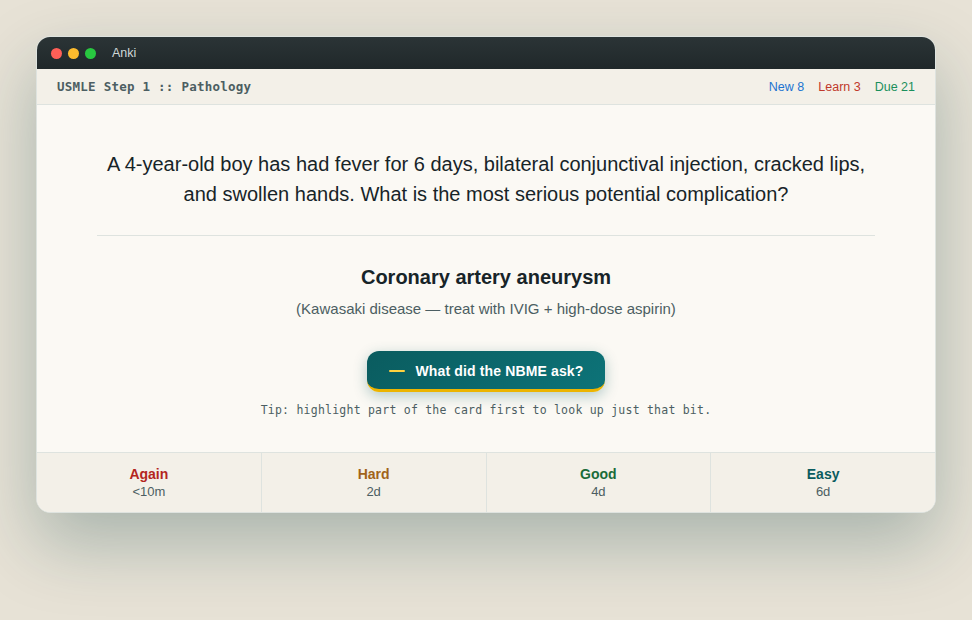
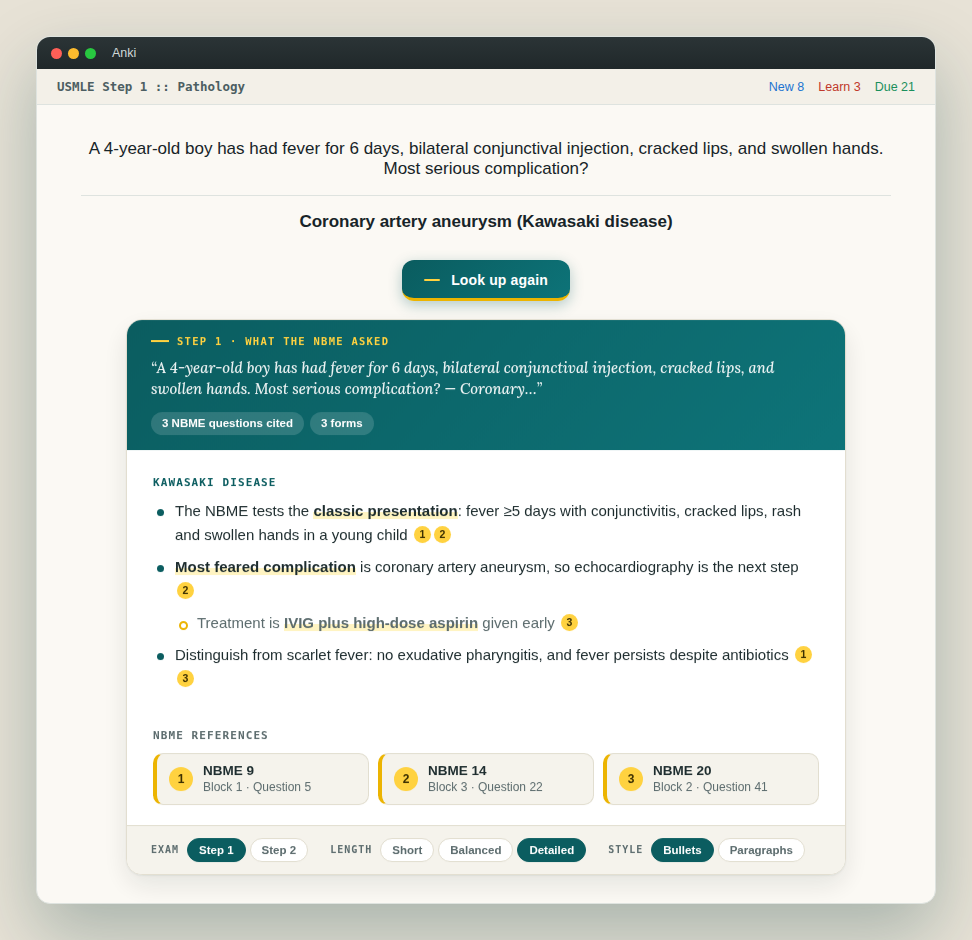
An OnlyHighYield account is required. Lookups in the add-on share the same allowance as the website; see onlyhighyield.com for details.
Open Tools > Add-ons > OnlyHighYield > Config to change them:
show_review_button: set to false to hide the button. The shortcut and menu still work.shortcut: change the keyboard shortcut (restart Anki after changing).response_mode and response_style: default length and format.show_references: show or hide citations by default.Questions, bugs or suggestions: use the Give feedback button on onlyhighyield.com.
OnlyHighYield is an independent study tool and is not affiliated with or endorsed by the NBME or USMLE.