AnkiWeb
- Rating
- 3 (👍 3 · 👎 0)
- Updated
- 2026-04-29
- Anki versions
- 25.09.2~
- Description language
- en
AnkiWeb addon 537351762
Enhances Anki audio control with volume adjustment, boost up to 200%, mute, 0.25x–2x speed, loudness normalization, customizable shortcuts, and UI improvements.
Open on AnkiWeb GitHub Ask about alternatives
active
| Min Anki | Max Anki | Updated |
|---|---|---|
| 2.1.0 | 25.09.2+ | 2026-04-29 |
Loading…
Adds inline audio/video from URLs or local files with FFmpeg conversion, per-element playback controls in reviewer, clipboard insertion shortcuts, and orphaned media cleanup.
Adds separate question and answer timers, streaks, Time Boost, audio/controller feedback, and tools to speed through Anki reviews while managing difficult cards.
Plays configurable answer-button sound effects, adds typing-error sounds, ambient music, volume/delay controls, and extra sound-folder support in Anki.
Adds Anki review-screen speed, volume, and loudness normalization controls plus persistent deck audio analysis without modifying original files.
Plays looping ambient background sounds during Anki study sessions, with menu controls for enabling, sound selection, and volume, plus customizable local sound files and persistent settings.
Lets users upload custom sounds for reveal answer, again, hard, good, easy, and deck completion, with adjustable volumes in Tools settings.
This add-on enhances the original Adjust Sound Volume with improved features and usability.
.webm files on Windows.You can install this add-on through AnkiWeb.
You can also download the source code on my GitHub and use the make command to package it.
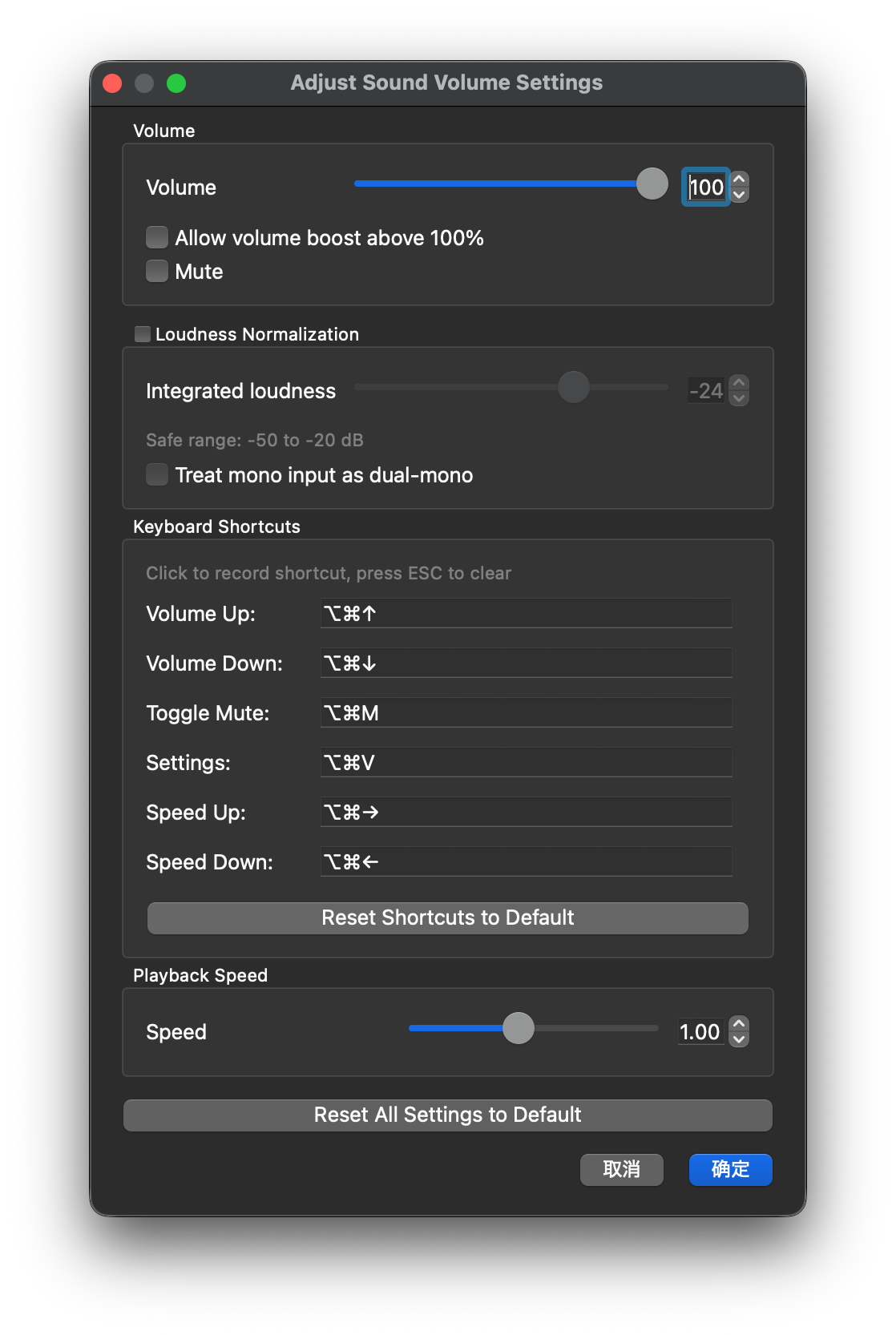
Customizable shortcuts for seamless control:
Volume Up: Ctrl+Alt+Up
Volume Down: Ctrl+Alt+Down
Toggle Mute: Ctrl+Alt+M
Toggle Loudness Normalization: Ctrl+Alt+L
Open Settings: Ctrl+Alt+V
Speed Up: Ctrl+Alt+Right
Speed Down: Ctrl+Alt+Left
Shortcuts can be edited in the configuration UI.