AnkiWeb
- Rating
- 1 (👍 1 · 👎 0)
- Updated
- 2026-06-25
- Anki versions
- unknown
- Description language
- en
AnkiWeb addon 547478812
Adds a built-in waveform audio trimmer to Anki card fields, using drag handles and precise inputs to preview and losslessly trim the first sound tag.
Open on AnkiWeb GitHub Ask about alternatives
active
| Min Anki | Max Anki | Updated |
|---|---|---|
| 2.1.0 | – | 2026-06-25 |
Loading…
Facilitates intensive image drag-and-drop into Anki notes by maximizing the first field and providing focus-independent preview previous/next shortcuts, including next plus auto-opening a primal image link.
Provides a waveform audio player with region selection, bookmarks, auto-repeat, and adjustable speed for replaying specific audio segments in Anki.
Fills Chinese vocabulary notes with characters, pinyin, stroke-order animations, and Forvo audio from characters or pinyin input, with configurable fields and API key.
Imports XLSX spreadsheets into Anki with auto-matched fields, per-field text/HTML/markdown handling, and a required versioned sheet layout.
Adds animated GIF and video backgrounds to Anki's Reviewer, Deck Browser, and Overview screens, with live preview, local media, and opacity, blur, zoom, speed, trim, and mute controls.
Applies beautiful custom card templates to any Note Type via themes, drag-and-drop field mapping, per-field styling, live preview, light/dark adaptation, and automatic template backups.
An Anki 2.1 add-on that adds a built-in waveform trimmer for audio files in your cards.
ffplayffmpeg -c copy (fast, no re-encoding)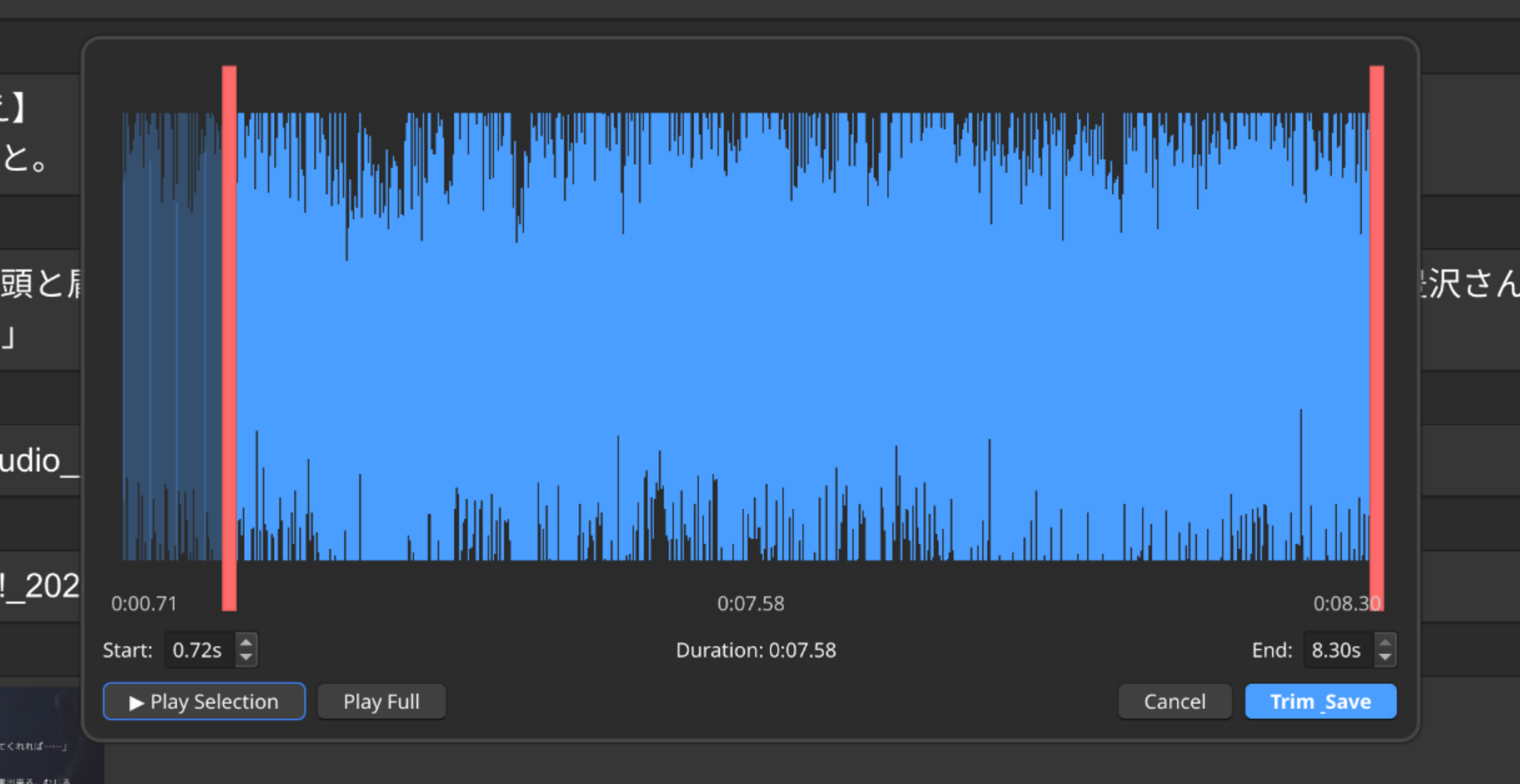
Only the first [sound:...] in the configured field is edited; additional audio files are left untouched.
ffmpeg, ffprobe, and ffplay installed and available in PATH.ankiaddon fileAlternatively, copy the edit_audio_external folder into your addons21 directory.
Via Tools → Add-ons → Audio Waveform Trimmer → Config:
| Key | Default | Purpose |
|---|---|---|
shortcut |
"Ctrl+E" |
Keyboard shortcut in the editor |
audio_field_name |
"Audio" |
Field name with [sound:...] tags |
Editing is non-destructive until you hit Trim & Save.
Run Tools → Edit Audio: Run Diagnostics to verify ffmpeg, media paths, and field configuration.
GNU Affero General Public License v3.0 or later.