AnkiWeb
- Votes
- 0 (👍 0 · 👎 0)
- Updated
- 2026-10-18
- Anki versions
- 2.1.1~
- Languages
- Python, JavaScript, CSS, JSON
- Description language
- en
AnkiWeb addon 694739298
Attaches customizable pop-ups—definitions, tips, images, links—to words on flashcards, clickable during review, with templates, styles, and cross-device syncing.
Open on AnkiWeb GitHub Ask about alternatives
active
| Min Anki | Max Anki | Updated |
|---|---|---|
| 2.1.1 | + | 2026-10-18 |
Loading…
Provides instant hotkey-activated Japanese dictionary popups in Anki's reviewer and editor, showing definitions, pitch accents, and frequency with deinflection, customizable themes, and local SQLite caching.
Lets users double-click words or phrases, or use a hotkey, to open pop-ups of related facts from their card collection, with nested lookups and configurable options.
Adds an Explain button and dockable sidebar that uses Gemini AI to generate flashcard explanations, mnemonics, related concepts, and follow-up chat, with streaming responses and customizable prompts.
Write flashcards in Markdown with syntax-highlighted code, media pasting, multiple card types, and consistent rendering across desktop, AnkiDroid, AnkiMobile, and AnkiWeb.
Displays customizable motivational text, image, and audio/video pop-ups when answering flashcards, configurable per answer button with adjustable display probability.
Attaches short notes to flagged cards during review, shows them as banners, and provides a viewer with browser integration, professor responses, and CSV/Markdown export.
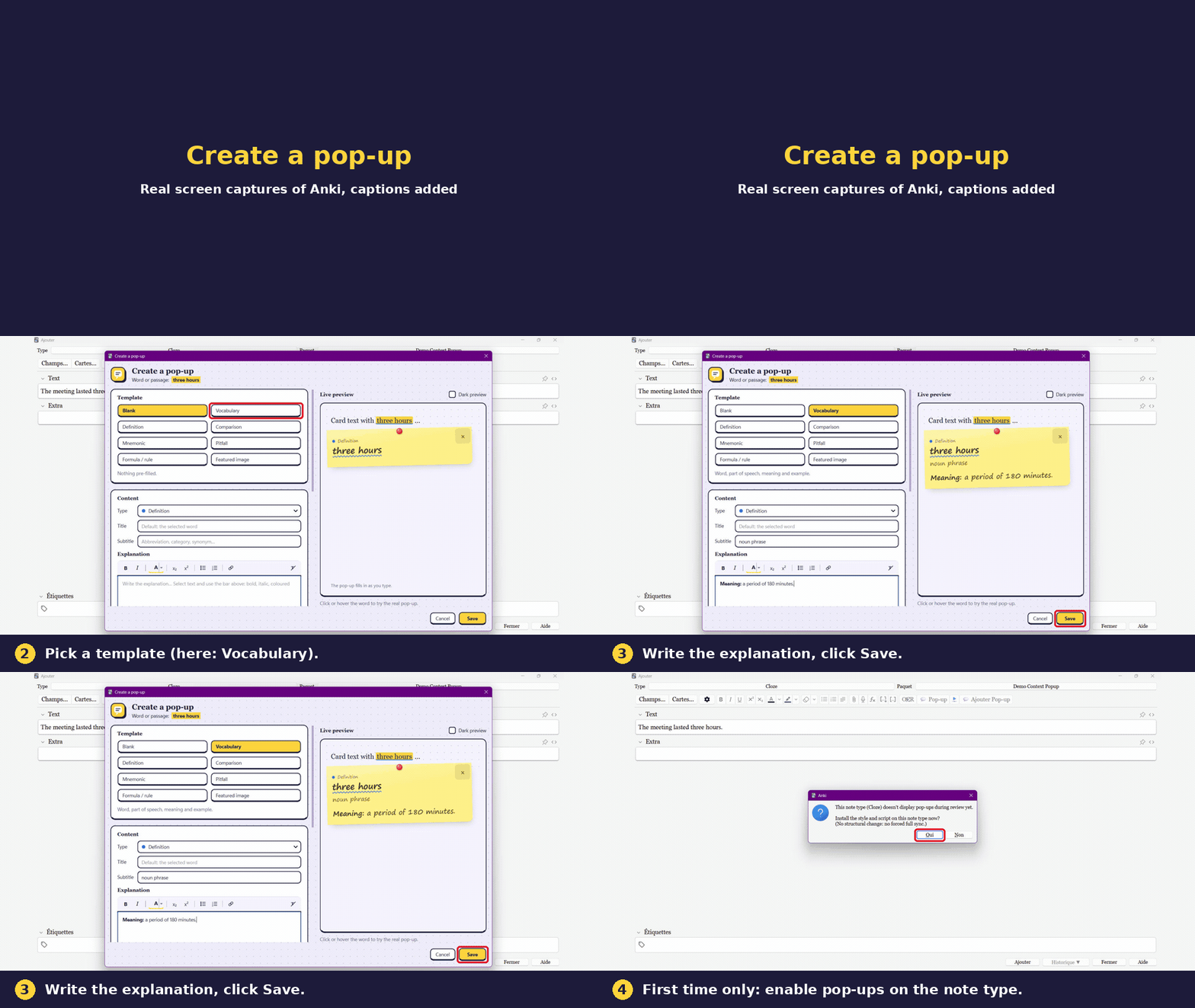
Attach a small pop-up to any word on your cards: a definition, a tip, a pitfall, an example, a mnemonic, an image or a link. While you review, click the word to read it. Nothing clutters the card until you ask for it.
1. Create a pop-up
2. Use it while reviewing
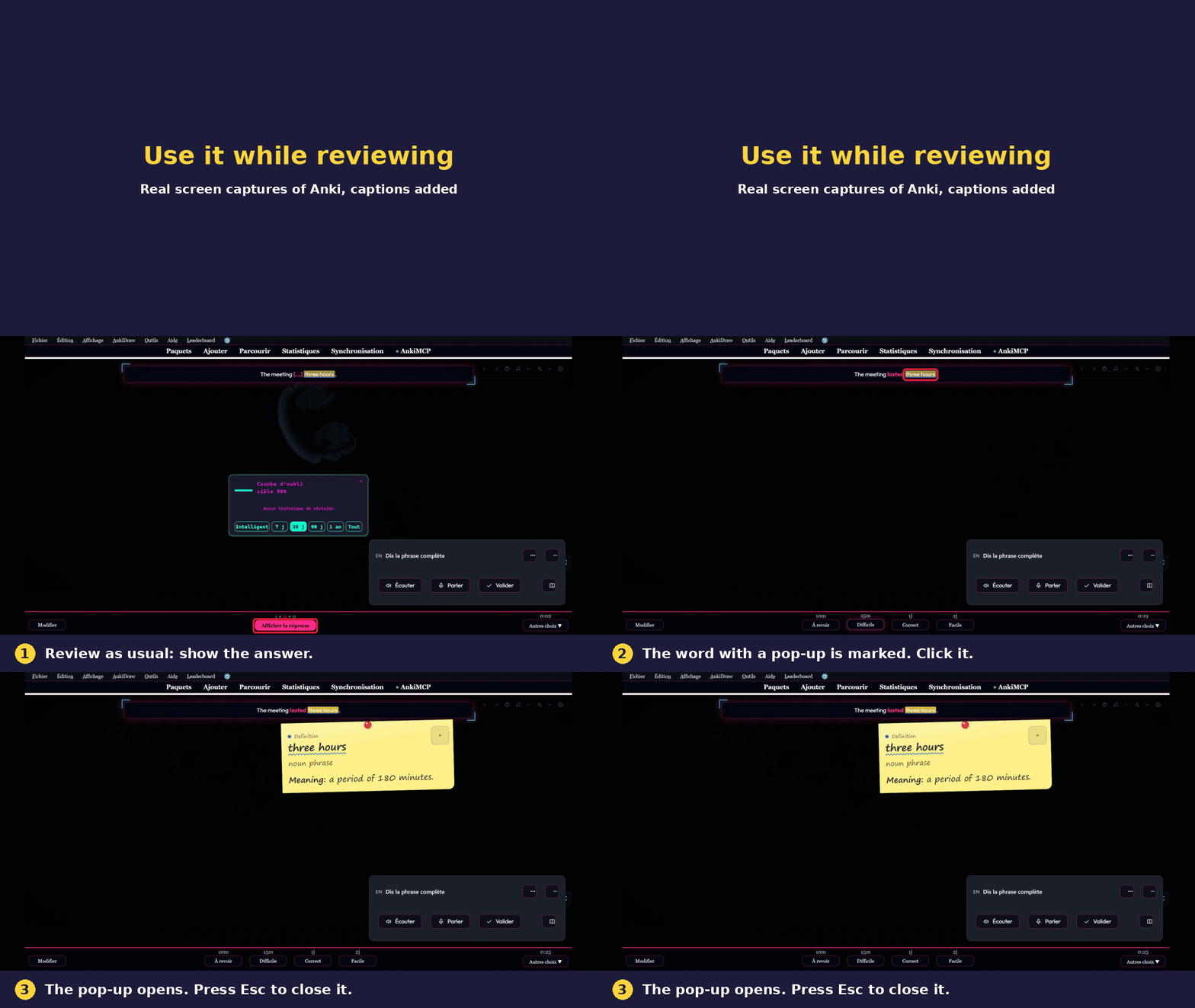
Real screen captures of Anki, captions added. The add-on installation step is not shown.
You can also create a pop-up straight from the review screen: select a word on the card and press L.
English, Français, Español, Deutsch, Italiano, Português, Nederlands, Русский, 日本語, 中文 (follows Anki, or choose in Settings). Translations were made with the help of AI; corrections from native speakers are welcome.
No data is collected or sent. The add-on works offline. The only network action is opening the coffee page in your browser if you click the button.
Free, made by one person. If it helps you study, you can say thanks with a coffee. It is never required. Bug reports and ideas: github.com/DesosseBR/Anki-pop-up.
Created by Habib Lamine Ouattara.
