AnkiWeb
- Votes
- 0 (👍 0 · 👎 0)
- Updated
- 2026-10-10
- Anki versions
- 2.1.1~
- Languages
- HTML+ERB, Python, JSON
- Description language
- en
AnkiWeb addon 1114711021
Adds an editable AI question panel to the back of your own flashcards, attaching card text automatically and saving answers per card across desktop and mobile platforms.
Open on AnkiWeb Ask about alternatives
active
No GitHub repository linked.
| Min Anki | Max Anki | Updated |
|---|---|---|
| 2.1.1 | + | 2026-10-10 |
Loading…
Adds customizable, real-time text-to-speech to card templates, with pronunciation lists, voice and speed settings adjustable and toggleable directly on iOS/iPadOS mobile devices via user actions.
Creates custom relations between notes so burying a card's siblings also buries cards of related notes, with options to create, view, and merge relations.
Write flashcards in Markdown with syntax-highlighted code, media pasting, multiple card types, and consistent rendering across desktop, AnkiDroid, AnkiMobile, and AnkiWeb.
Buries sibling and cousin cards under scheduler V3, potentially taking minutes with many scheduled cards or FSRS enabled, with results synced from desktop to other devices.
Renders Markdown in Anki's Front and Back fields as interactive quizzes—cloze, multiple choice, reveals, collapsible blocks, tabs, audio, code highlighting and KaTeX—with offline assets and floating reveal/drag-to-rate controls.
Blocks new cards on Saturdays and Sundays while keeping review cards available, syncing deck setting changes through AnkiWeb across devices.
For support, email karimuto.dev@gmail.com
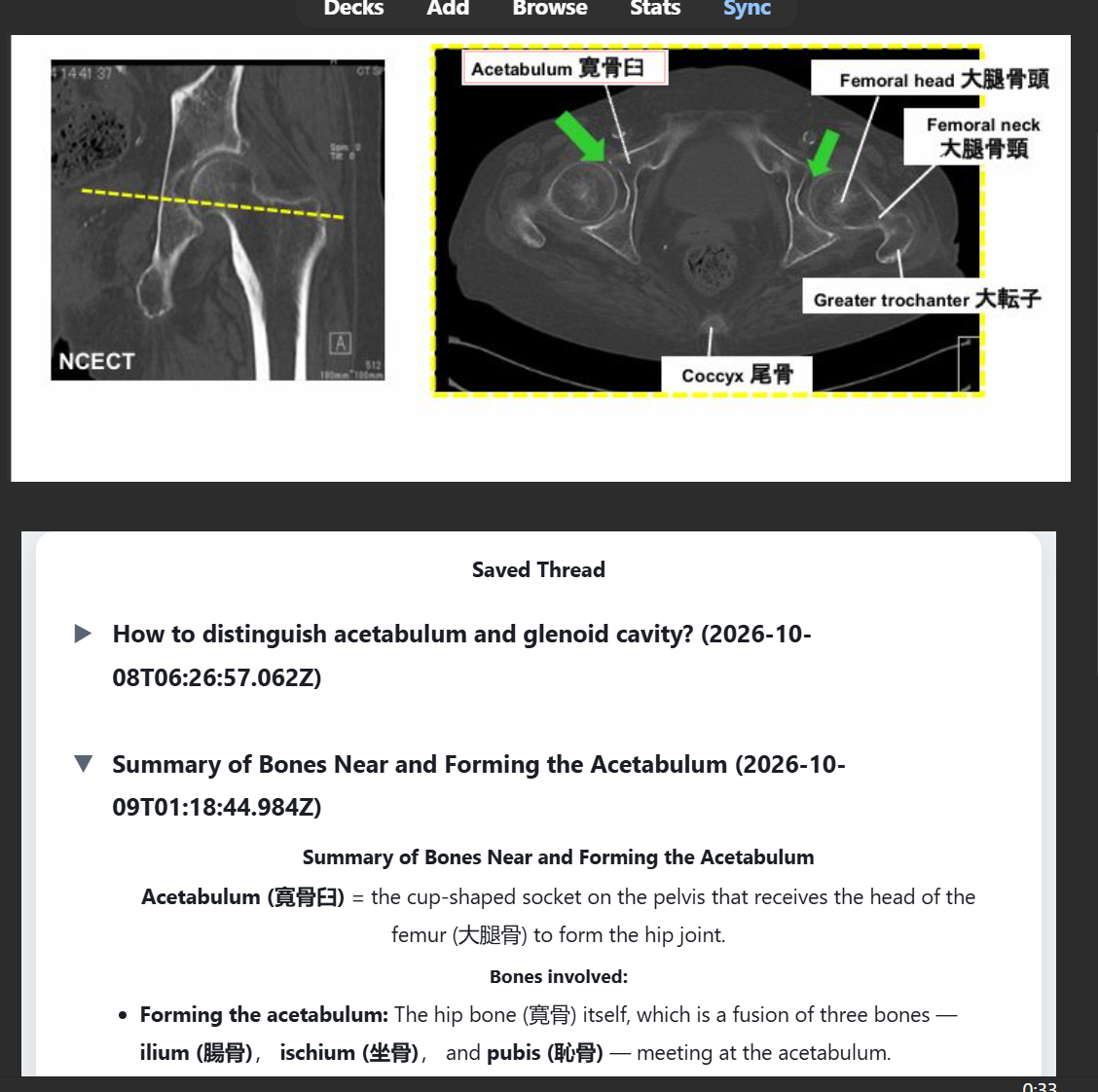
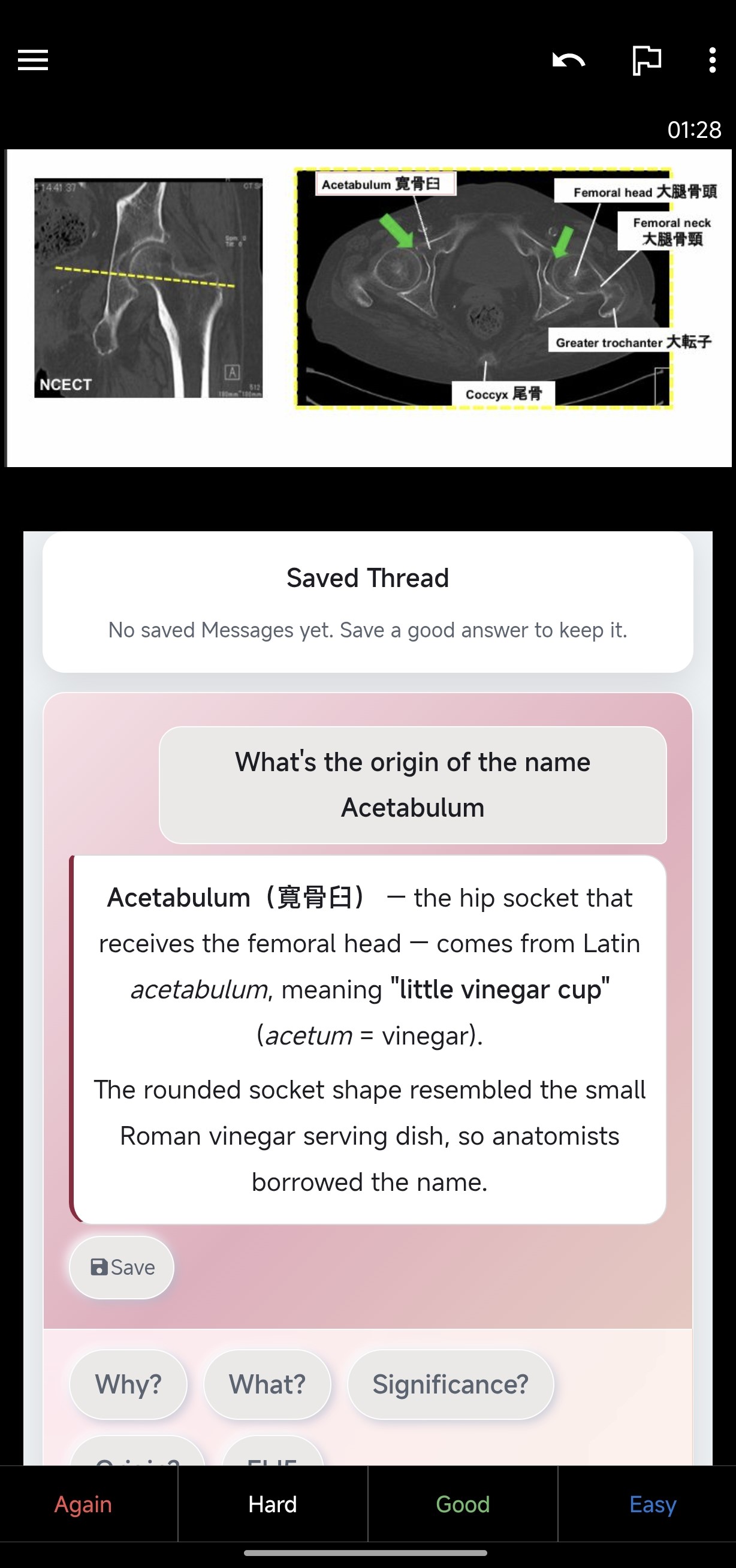
Umeboshi Ask puts a small question panel on the back of your own Anki cards. While reviewing, tap a prompt button or type your own question — the card text travels with the question, so there is nothing to copy and paste. The ones you save stay with the card and return the next time it comes up.
Ask AI on the back of the card
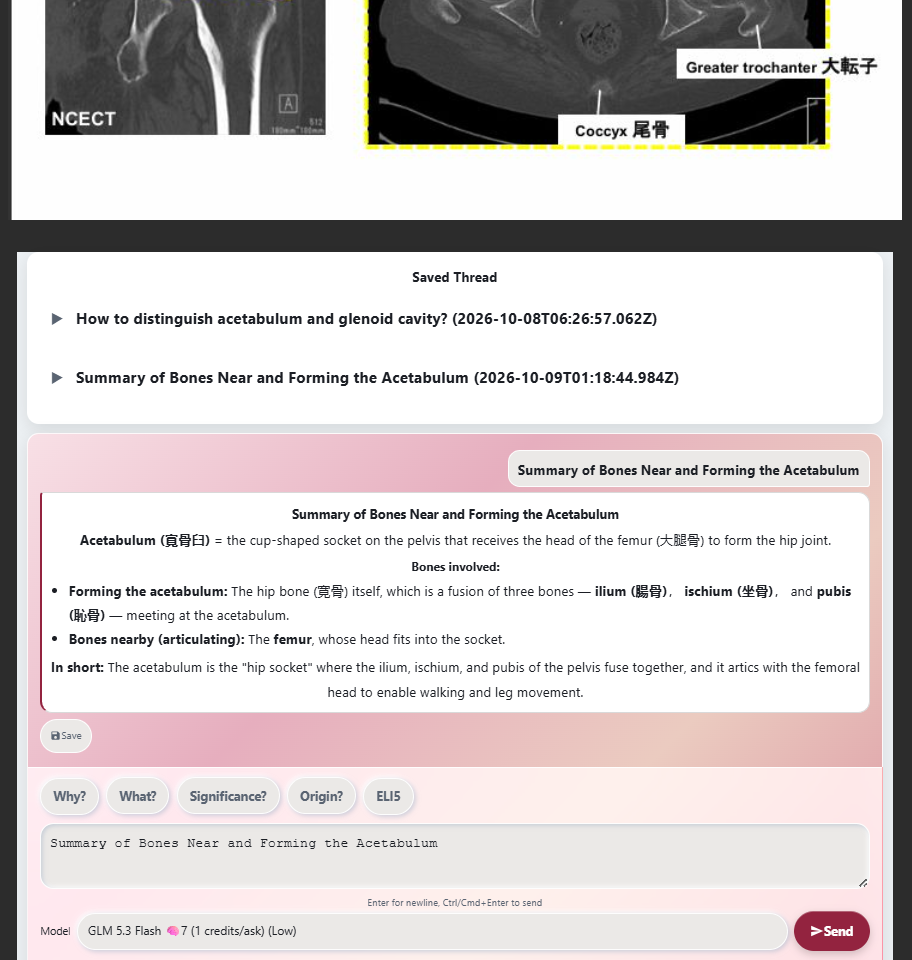
Saved explanations come back the next time the card comes up
Works on AnkiDroid, AnkiMobile, and AnkiWeb too
Features:
How to install:
Full walkthrough in the setup manual: https://umeboshi-ask.pages.dev/setup
Works on Desktop, AnkiDroid, AnkiMobile, and AnkiWeb. Installing needs Anki Desktop 25.09.2 or newer. Saving needs CardID (Desktop 25.09.2+, AnkiDroid 2.24.1+, AnkiMobile 25.09.2+, AnkiWeb); asking works even where saving cannot.
Free weekly credits included — no account needed to ask. Full prices live on the pricing page: https://umeboshi-ask.pages.dev/en/pricing
Please leave constructive feedback and report bugs.
EMAIL KARIMUTO.DEV@GMAIL.COM FOR ALL SUPPORT ISSUES