AnkiWeb
- Votes
- 0 (👍 0 · 👎 0)
- Updated
- 2026-10-29
- Anki versions
- 2.1.1~
- Languages
- Python, JSON
- Description language
- en
AnkiWeb addon 111835382
Imports Notion pages into Anki, turning pages into decks, tables into subdecks, and rows into cards, with optional auto-sync and support for MathJax, code, images, and tables.
Open on AnkiWeb GitHub Ask about alternatives
active
| Min Anki | Max Anki | Updated |
|---|---|---|
| 2.1.1 | + | 2026-10-29 |
Loading…
Two-way syncs Notion toggle blocks and Anki cards, mirroring pages as decks, updating edits in place, handling images, formatting, priority tags, and orphan cleanup.
Syncs Notion toggle lists and tables into Anki flashcards, mirrors nested pages as subdecks, supports cloze deletions, and preserves rich text, images, and LaTeX — completely free and open-source.
Converts Notion toggle blocks into Anki questions, importing multiple pages into separate decks via the official Notion API, with recursion, rich content support, and GUI configuration.
Loads Notion toggle lists as Anki notes into different decks, converting toggle titles and content into cards, with tags, clozes, and background or manual sync.
Loads Notion toggle-list blocks as flashcards into a chosen Anki deck, converting titles to fronts and content to backs, with tag parsing, cloze support, and manual or background synchronization.
Syncs Notion pages and databases directly into local Anki decks via the official API, preserving rich blocks, images, reverse toggles, and optionally creating image occlusion cards.
Will not be maintained, thoroughly vibecoded.
Auto-sync is off by default. Set the interval in minutes; 0 means off.
Rows without titles are imported as empty-front cards by default and can be
disabled in Settings.
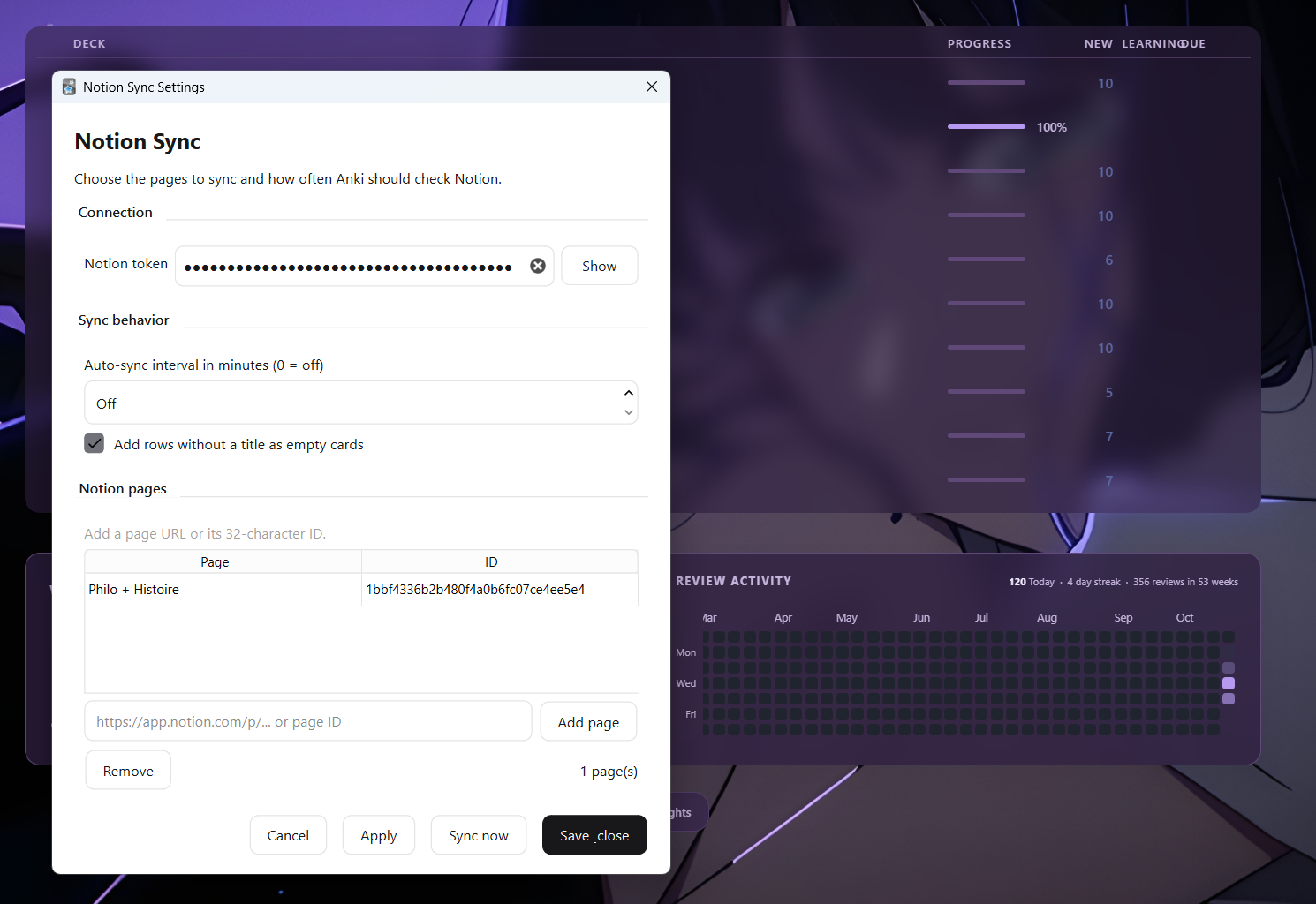
Each Notion page becomes a deck, each table becomes a subdeck, and each row becomes a card. Synced cards are updated or removed when their Notion source disappears. Decks and manually created cards are never deleted.
Something like the following

Cards can contain:

See Github for issues or help request
Notion Philo Workflow complements this add-on by exporting cards to PDF for printing. Its source is available on GitHub.
An Anki add-on that imports Notion pages through the official Notion API.
Auto-sync is off by default. Set the interval in minutes; 0 means off.
Rows without titles are imported as empty-front cards by default and can be
disabled in Settings.

Each Notion page becomes a deck, each table becomes a subdeck, and each row becomes a card. Synced cards are updated or removed when their Notion source disappears. Decks and manually created cards are never deleted.
Cards can contain:

Notion Philo Workflow complements this add-on by exporting cards to PDF for printing. Its source is available on GitHub.