AnkiWeb
- Rating
- 18 (👍 17 · 👎 1)
- Updated
- 2026-02-14
- Anki versions
- 25.09.2~
- Description language
- en
AnkiWeb addon 129299120
Imports media files into Anki as new notes, using filenames, subfolder tags, and configurable fields via a Tools menu window.
Open on AnkiWeb GitHub Ask about alternatives
active
| Min Anki | Max Anki | Updated |
|---|---|---|
| 2.1.0 | 2.1.49 | 2024-01-24 |
| 2.1.50 | 25.09.2+ | 2026-02-14 |
Loading…
Search field text for matching audio from Forvo, Wiktionary, or Open Russian, then upload it and append a [sound:...] tag during note editing.
Automatically fills an Image field by searching Wikipedia or Wikimedia Commons from a term field and inserting downloaded thumbnails.
Imports Airtable data into Anki via CSV or API and automatically syncs Anki edits, additions, and browser changes back to Airtable, supporting text, pictures, audio, tags, and note types.
Imports images from a selected folder into individual Anki cards with image-only fronts, copying media, optional subfolders, deck choice, progress, cancellation, and SHA-256 duplicate skipping.
Browse, search, preview, insert, replace, rename, and clean up Anki media images, including orphans and duplicates, with automatic card-related suggestions and recoverable deletions.
Imports AI-generated notes from pasted text or .txt files into Anki, letting users choose note type, deck, separators, tags, and shared text, HTML, or image content.
Anki add-on for importing media files as new notes.
This add-on is an updated version of the Media Import add-on, which is no longer being maintained.
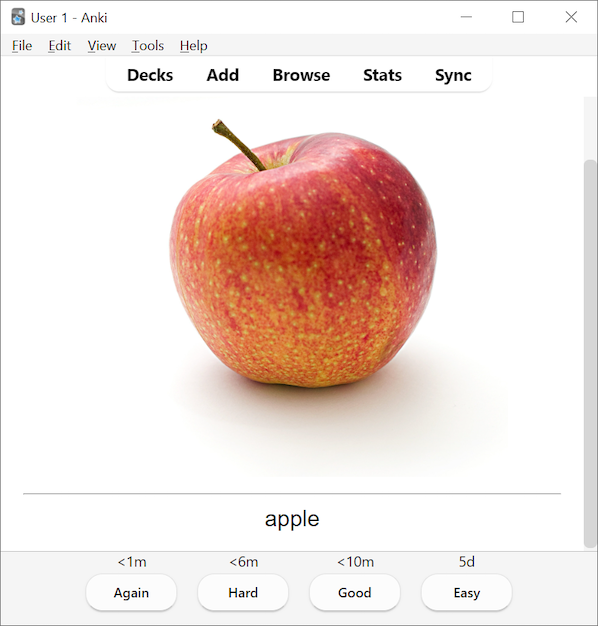
This add-on allows you to import media files into your Anki collection and use their file or folder names as a component of the note. You can create cards that might look like this (using apple.jpg):
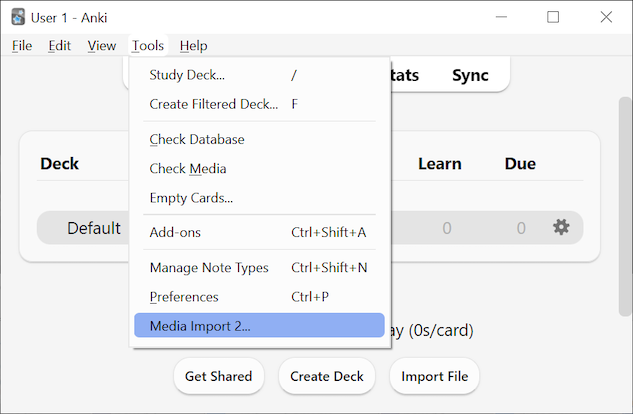
When the add-on is installed, a Media Import 2... option will be added to the Tools menu.
Selecting this menu item will open the Media Import 2 window.
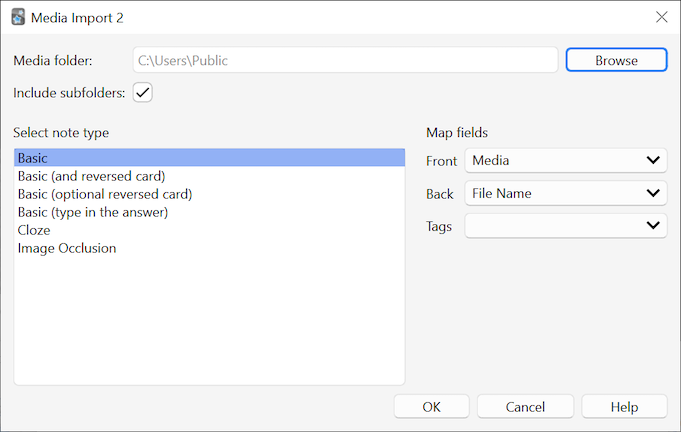
From this window, you are able to:
Here is a list of the content available to insert into fields (with an example file located at ./f1/f2/apple.JPG):
_2 by default). File extensions are ignored. For example, for the file apple.JPG, the secondary file could be called apple_2.png. The suffix _2 can be changed in the settings (Tools -> Add-ons -> double-click on Media Import 2).apple)apple.JPG)f1 and f2). If this option is used in a non-tag field, the names are combined with spaces (t1 t2). Requires the "Include subfolders" checkbox to be active.t1::t2). Requires the "Include subfolders" checkbox to be active.The following options are hidden unless the showExtensionActions setting is set to true (Tools -> Add-ons -> double-click on Media Import 2):
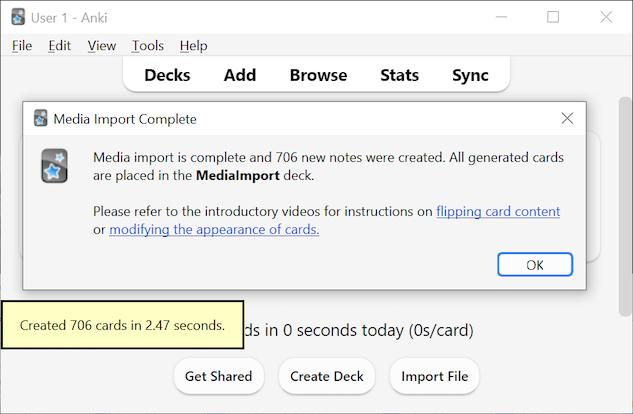
jpg)JPG)All new generated cards are added to a deck named MediaImport. This deck is created for you automatically if it doesn't exist.