AnkiWeb
- Rating
- 0 (👍 0 · 👎 0)
- Updated
- 2026-07-24
- Anki versions
- 25.09~
- Description language
- en
AnkiWeb addon 304166926
Schedules fractional new-card limits like 1 every 3 days or by weekday, applies Today-only limits automatically, and adds deck health badges.
Open on AnkiWeb GitHub Ask about alternatives
active
| Min Anki | Max Anki | Updated |
|---|---|---|
| 2.1.55 | 25.09+ | 2026-07-24 |
Loading…
Provides quick triage actions to set today's new-card limit to zero or bulk-answer due cards as Good or Easy collection-wide or deck-specific.
Calculates realistic daily review and new-card targets by target date, including overdue, due, and learning cards, with intensity adjustment and simulation.
Sets different new-card limits for each weekday, with options to select a deck and apply limits to new and review cards.
Automatically sets a deck type's review limit to zero based on selected days of the week.
Limits new cards based on young-card totals, estimated daily review load, or due-soon cards, with configurable deck rules, automatic updates, and utilization reports.
Sets a daily study-time budget and adjusts the deck's today-only new-card limit using FSRS forecasts so predicted new-card and review load stays within budget.



Fractional New-Card Scheduler is an Anki add-on for decks that should introduce new cards more slowly than Anki's normal whole-number daily limits allow.
Instead of choosing between 0/day and 1/day, you can schedule patterns such
as 1 every 3 days, set different limits by weekday, and spread related decks
across a steady rotation. The add-on applies those plans through Anki's
Today-only new-card limits, so changes are temporary and reset with Anki's next
day.
It also includes deck health badges for decks that are blocked by 0/day limits
or have no unsuspended new cards available.
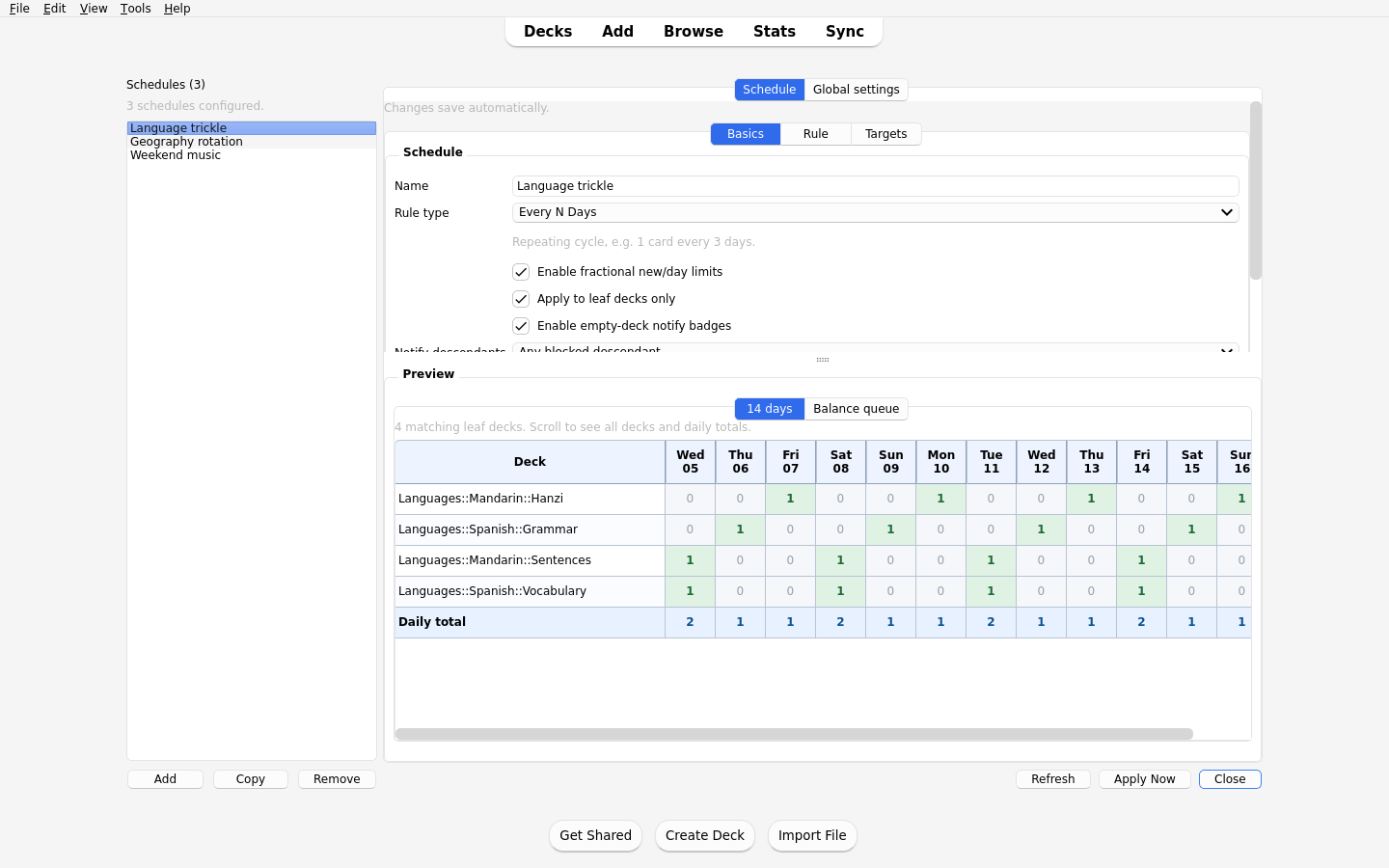
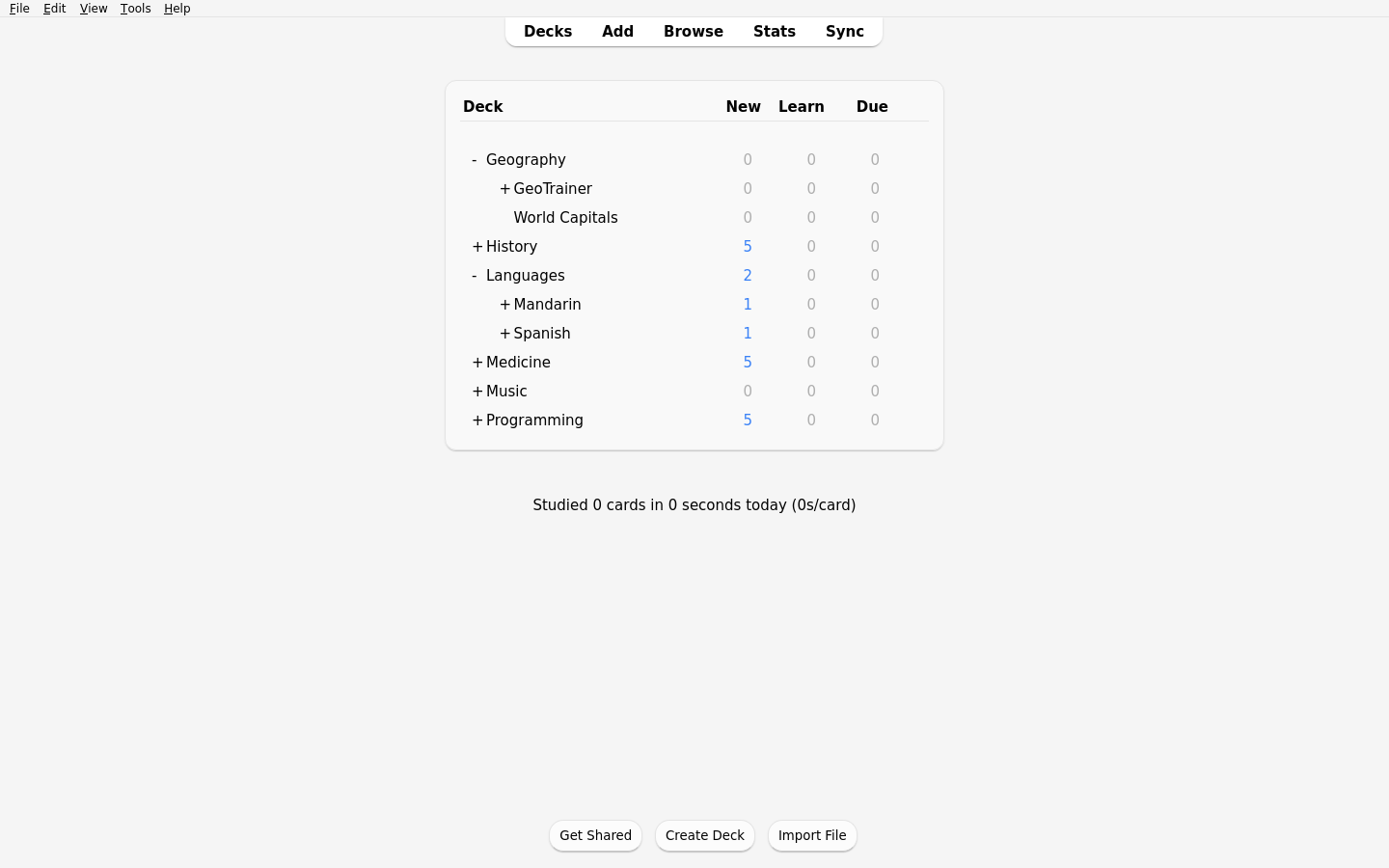
Browse the full media gallery.
Requires Anki 2.1.55 or newer.
Tools -> Add-ons -> Get Add-ons....304166926.Tools -> Fractional Scheduler: Open Config to edit config.AnkiWeb page: https://ankiweb.net/shared/info/304166926
addon folder into your Anki add-ons directory as its own folder,
such as FractionalScheduler.Tools -> Fractional Scheduler: Open Config to edit config.balance_first, fraction_first, and hash.! to exclude matching decks; a later matching rule includes them again.Pick deck... adds exact rules, while Add wildcard... and Exclude wildcard... add include/exclude subtree rules for every selected deck.Deck::* or !Deck::* follow their root deck when it is renamed, including parent-deck renames. General patterns such as *Chemistry* retain their text pattern.fraction_first and day-of-week schedules.Rebalance Offsets recomputes stable stagger assignments for the currently matched decks in a schedule.mw.fractional_scheduler_api.See Scheduling Strategies for the tradeoffs between the fractional strategies.
Geography*, !GeoTrainer*, GeoTrainer::A*, and GeoTrainer::B::C to include Geography, exclude GeoTrainer, then add those two GeoTrainer branches back.Apply Now writes Today-only limits immediately for the matched decks.Before sync applies limits before collection sync when the installed Anki
version exposes the pre-sync hook.Rebalance Offsets updates stored stagger assignments and preview data; deck
limits change on the next apply.addon/meta.json is local Anki state and is intentionally not tracked in git.The add-on registers a read-only service on mw:
snapshot = mw.fractional_scheduler_api.get_schedule_health_snapshot(col)
It returns a dictionary keyed by deck id. Each value reports:
deck_iddeck_nameschedule_idcycle_length_dayshas_future_positive_limitnext_positive_day_offsetThe service only includes matched, non-dynamic decks that survive leaf_only
filtering. A deck is considered to have a future positive limit if, within one
full schedule cycle, at least one day yields > 0 new cards.
{
  "epoch": "2026-01-01",
  "schedules": [
    {
      "id": "bio-slow",
      "type": "every_n_days",
      "m": 1,
      "n": 3,
      "fractional_strategy": "balance_first",
      "targets": ["Biology::*"],
      "fractional_enabled": true,
      "notify_enabled": true,
      "notify_descendant_mode": "direct_only",
      "leaf_only": true,
      "stagger": {"mode": "stable"}
    },
    {
      "id": "chemistry-notify",
      "type": "every_n_days",
      "m": 1,
      "n": 1,
      "targets": ["*Chemistry*"],
      "fractional_enabled": false,
      "notify_enabled": true,
      "notify_descendant_mode": "all_included_descendants_blocked",
      "leaf_only": true
    }
  ],
  "defaults": {
    "apply_on_profile_open": true,
    "apply_on_collection_open": true,
    "apply_on_sync": false,
    "apply_once_per_day": true,
    "dry_run": false,
    "log_level": "info"
  }
}
FRACTIONAL_SCHEDULER_DEBUG=1.fractional-scheduler-debug.log in the platform temporary directory.The repository has an anki-addon-workbench config and probe add-on for a disposable Anki GUI smoke test. With anki-workbench installed, run:
anki-workbench smoke --xvfb
The probe verifies that the add-on module loads and that
Fractional Scheduler: Open Config appears in Anki's Tools menu.
Release packaging uses the sibling anki-addon-release project.
make release
That target validates the manifest/listing metadata, builds
dist/fractional-new-card-scheduler.ankiaddon, inspects the archive contents,
and runs an AnkiWeb dry run. Use make release-handoff to write handoff files
for a browser/manual upload, or make release-login and make release-publish
when publishing through the release browser profile with credentials from a
git-ignored .env file.
MIT. See LICENSE.
Support continued development: ritornello.dev/support.
