AnkiWeb
- Votes
- 1 (👍 1 · 👎 0)
- Updated
- 2026-10-24
- Anki versions
- 2.1.1~
- Languages
- Python, JavaScript, CSS, JSON
- Description language
- en
AnkiWeb addon 534500054
Replaces Anki's system title bar with a modern header or sidebar, integrating menus and window controls while preserving resizing, snapping, and theme-aware styling.
Open on AnkiWeb Ask about alternatives
active
No GitHub repository linked.
| Min Anki | Max Anki | Updated |
|---|---|---|
| 2.1.1 | + | 2026-10-24 |
Loading…
Transforms Anki's home screen into a customizable study dashboard with 34+ coordinated light/dark scenes, drag-and-drop widgets, progress stats, a review calendar heatmap, and countdown timers.
Adds native gamepad support to Anki, mapping controller buttons and analog sticks to keyboard shortcuts, card actions, and smooth scrolling, with multi-profile detection, a modifier layer, and press-to-bind setup.
Redesigns Anki's deck list, reviewer, sidebar, Add, Browse, Stats and Preferences with a cleaner look, searchable navigation, heatmap, stats and customizable themes, all individually toggleable.
Adds a Pomodoro timer, offline multi-track soundscape mixer, and smart card-audio ducking directly to the review screen, plus guided break and breathing exercises.
Hides Anki's macOS window title bar and buttons, reclaiming the header space while keeping rounded corners and window resizing; it is macOS-only and does nothing elsewhere.
Displays a tactical pacing dashboard tracking review speed, rolling accuracy and countdown timing, with Pomodoro/interval modes, metronome feedback, and macOS media control integration.
You spend countless hours in Anki. Why let a bulky, outdated system title bar get in the way of a clean workspace?
The Frameless Addon gives Anki a modern look by replacing the default operating system title bar with a clean header and optional sidebar. It brings your app menu, window buttons, and navigation together into one seamless frame—giving you more vertical screen space to focus on your cards.
Whether you use Anki on its own or alongside The Widget Addon and The Focus Addon, it delivers a clean, distraction-free study environment.
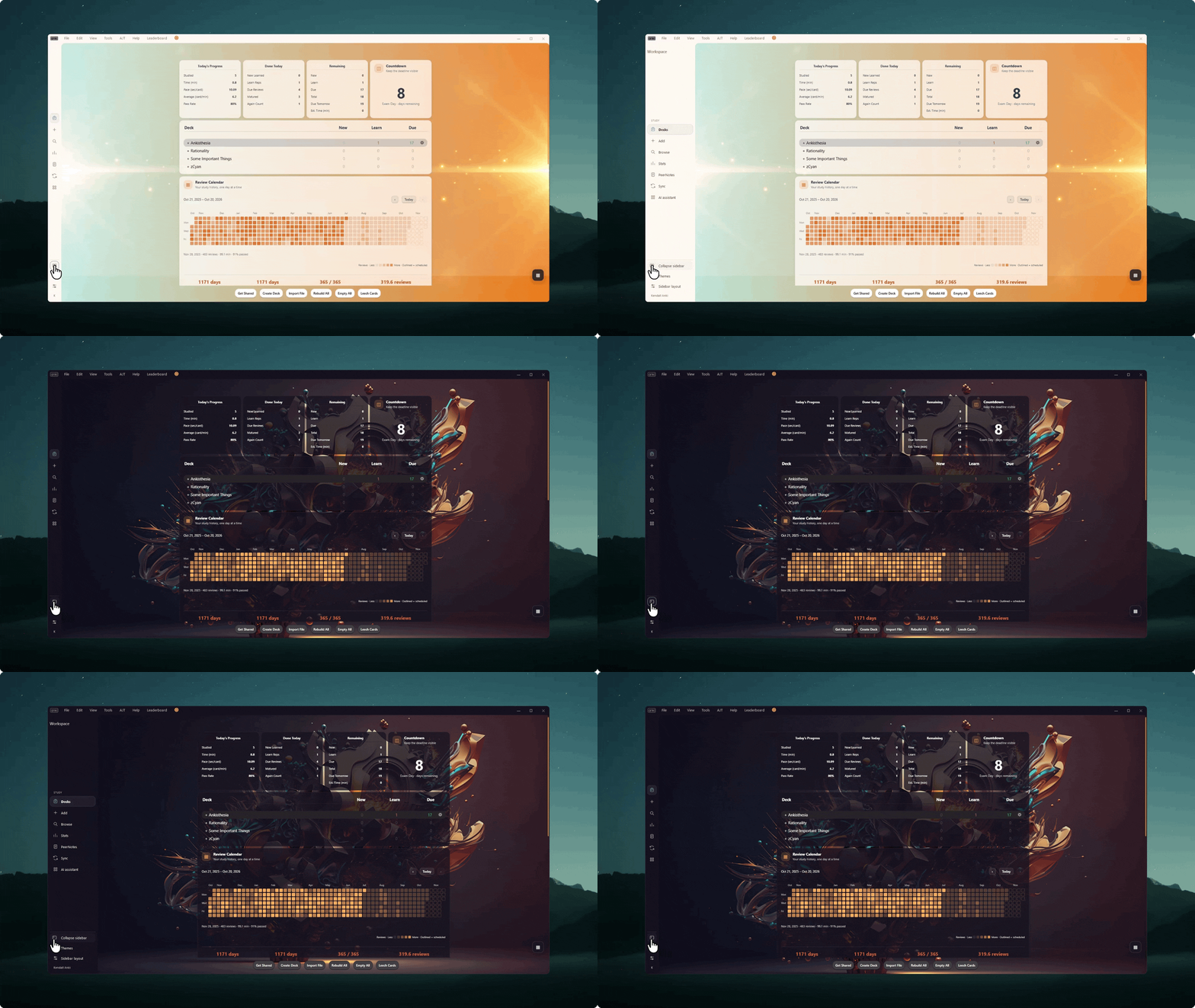
Note: This demo is also using The Widget Addon and the AI Chat feature is from the The Notes Addon
Enjoy a sleek, unified look that blends naturally into your desktop. Switch between a minimal top bar and a convenient sidebar to match how you like to study.
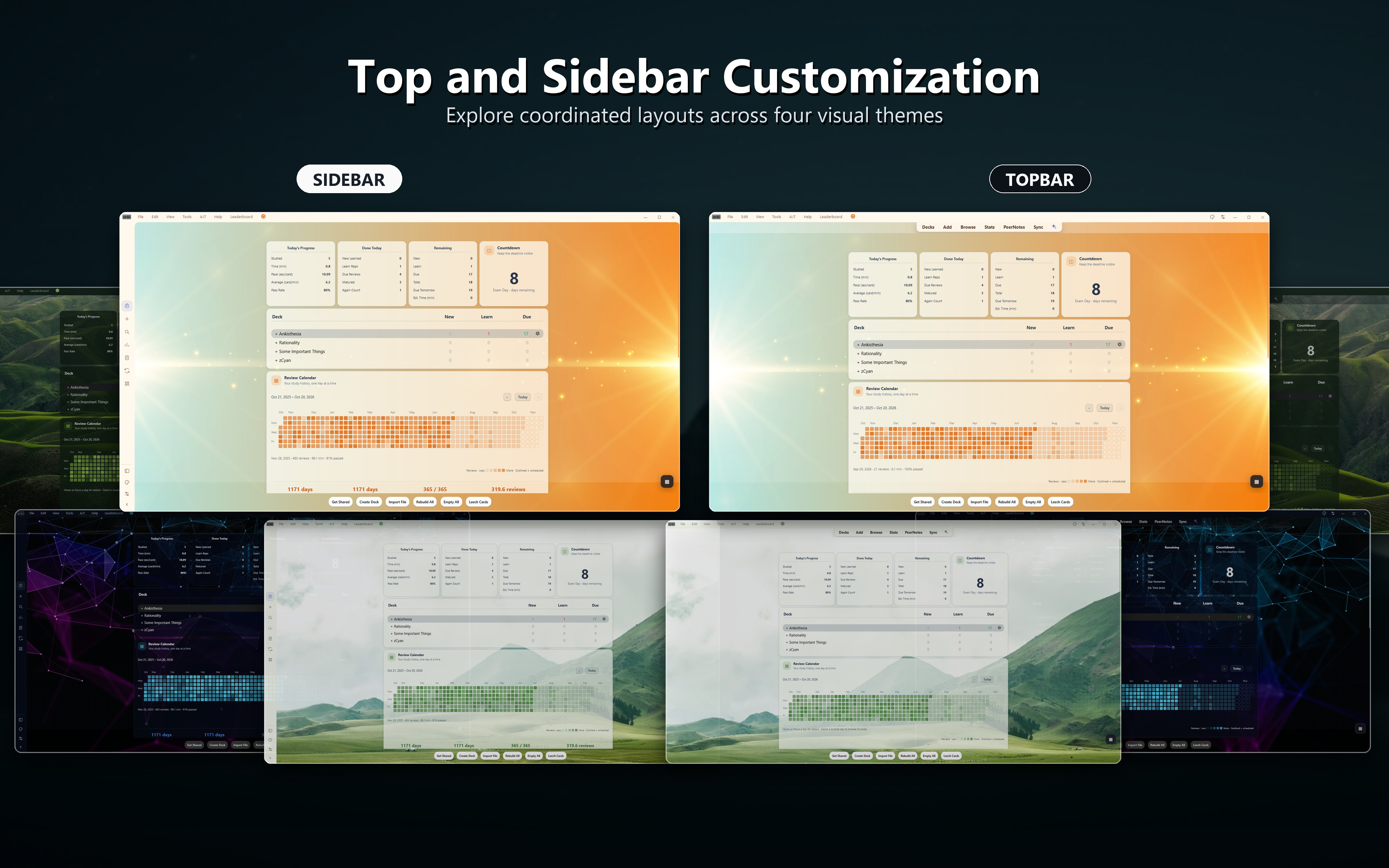
Unlike many frameless designs that make moving or resizing windows difficult, The Frameless Addon works just like a standard desktop app. You can resize effortlessly from any edge, snap the window anywhere, and use standard title bar shortcuts.
Drag from any open space on the top bar to move your window, or double-click to maximize and restore.
The Frameless Addon works out of the box with standard Anki light and dark themes, and syncs seamlessly with companion add-ons.

Before leaving a review about an issue, please reach out or submit a bug report. This allows me to troubleshoot the problem directly and coordinate with you to fix it much faster.