AnkiWeb
- Rating
- 0 (👍 0 · 👎 0)
- Updated
- 2026-06-10
- Anki versions
- 2.1.1~
- Description language
- en
AnkiWeb addon 54179556
Batch-speeds up slow Anki card audio by a chosen multiplier, updates card HTML, deletes old files, and syncs across devices.
Open on AnkiWeb GitHub Ask about alternatives
active
| Min Anki | Max Anki | Updated |
|---|---|---|
| 2.1.1 | + | 2026-06-10 |
Loading…
Sorts Anki cards within each chapter into four quartile subdecks by total Again count, with update, preset inheritance, and reversible restore.
Batch convert selected Anki browser notes' videos to GIFs through the Edit menu, but converting too many at once may slow your computer.
Permanently speeds up audio embedded in Anki cards using FFmpeg while preserving pitch, with preview, batch processing, undo, and supports common formats.
Generates comprehensive Japanese glossaries for hiragana, katakana, and kanji using external APIs, with batch processing, smart caching, progress tracking, and customizable HTML output.
Automatically advances Anki reviews by waiting for audio, showing answers, selecting Hard/Good, flipping cards, and repeating or adjusting audio speeds with shortcuts and configurable modes.
Plays, crops, denoises, separates vocals, adjusts speed, visualizes pitch, batch-processes, and non-destructively saves or shares Anki audio.
Supercharge your flashcard reviews by automatically speeding up your slow audio files!
Are you tired of sluggish Text-to-Speech (TTS) voices or long native audio clips slowing down your Anki sessions? When you are trying to review hundreds of cards a day, waiting for a slow audio file to finish playing can completely disrupt your workflow.
Karo Magic Audio Accelerator is a lightning-fast, lightweight tool that completely automates the process of speeding up your audio. Pick your desired speed, and the add-on will instantly batch-process your files, replace them on your cards, and save you hours of review time.
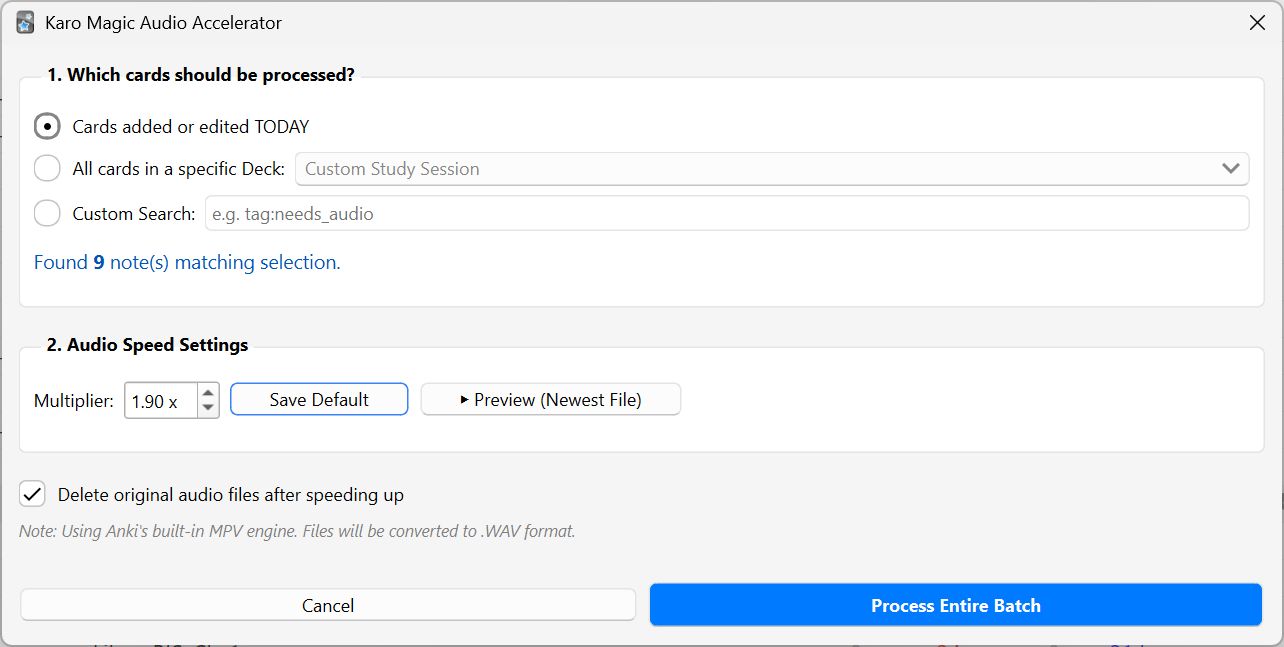
This add-on searches for cards you've recently added or edited, extracts the audio files, and speeds them up by your chosen multiplier (e.g., 1.90x). It automatically edits the Anki card HTML to point to the newly accelerated file, deletes the old slow file to save space, and ensures your audio is perfectly synced across all your devices.
_1.90x.wav) and skips them, ensuring you never accidentally speed up a file twice..WAV format, update your cards, and clean up the old files!⚙️ Compatibility: Fully tested and working on modern Anki versions, including Anki 25.09+ (Qt6 / Python 3.13). Fully compatible with Windows and macOS.
Created by Karo Magic If you find this add-on helpful for your language learning or medical studies, consider supporting my work! Donations are greatly appreciated and help me keep creating free tools.
Support & Feedback: I am always open to suggestions and improvements. Feel free to open an issue or share your feature requests directly on GitHub.