Tema Kustom / Custom Theme
Custom Theme is an add-on for desktop Anki that lets you customize the appearance of your study cards and the deck list screen to your liking, all from a single, well-organized settings window. You can preview every change, and nothing takes effect until you press Apply or Save.
Key Features
Card appearance
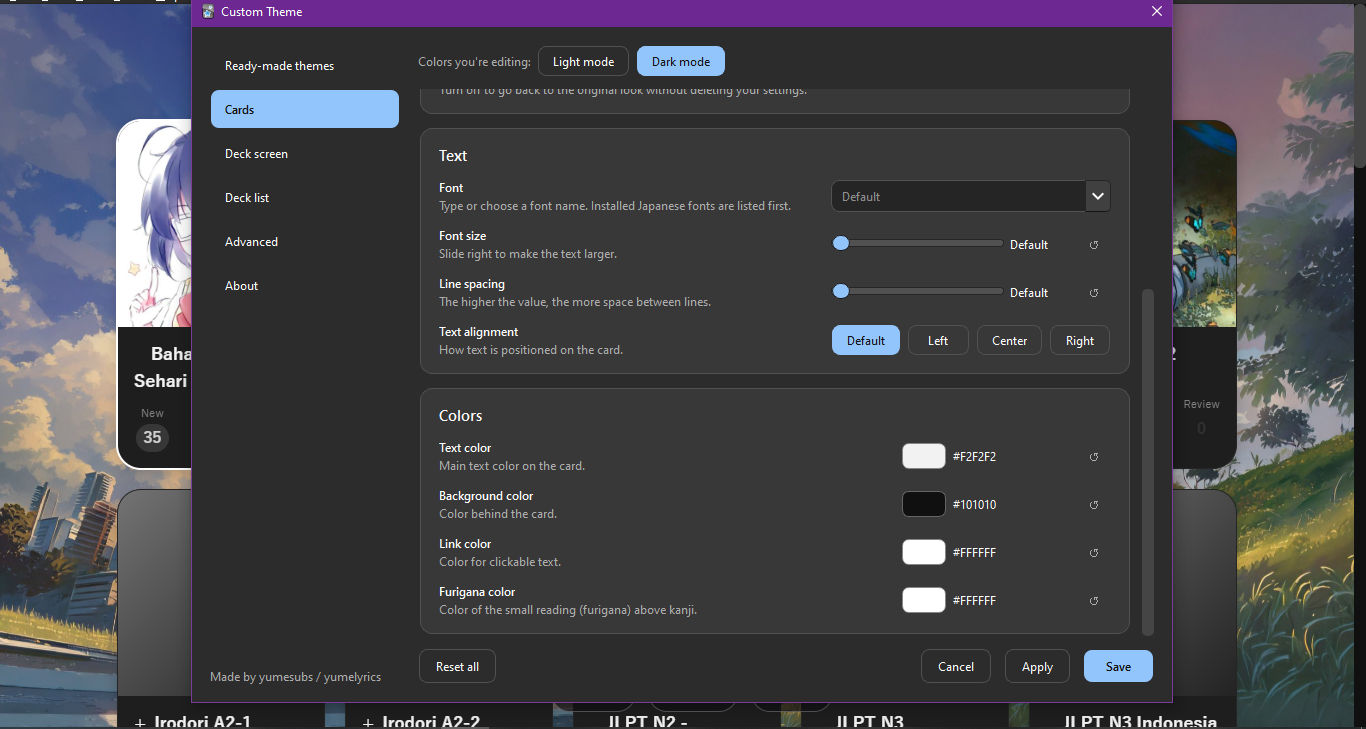
- Control over font, font size, line height, text alignment, and the maximum width of card content.
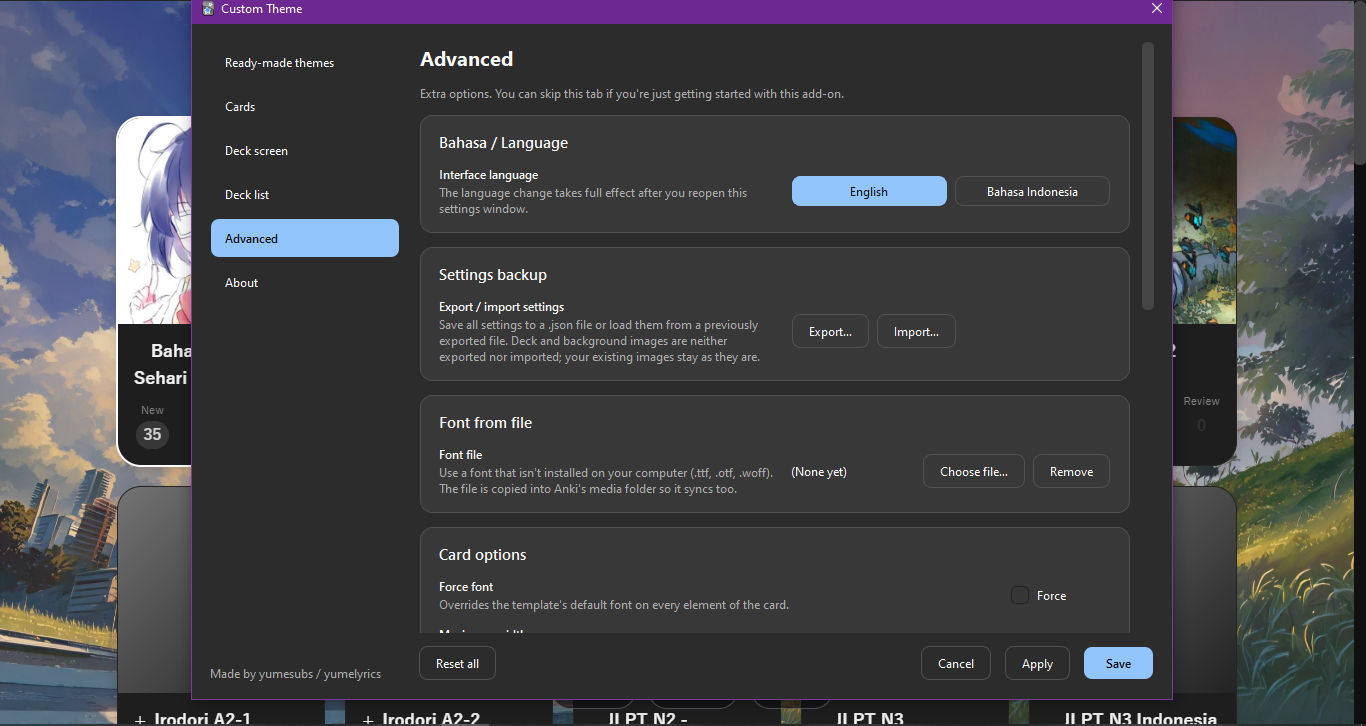
- Use of fonts from a file (.ttf, .otf, .woff) that are not installed on your computer.
- Adjustable furigana size.
- Separate text, background, link, and furigana colors for light mode and dark mode.
- A custom CSS field for users who would like finer control.
Deck screen appearance
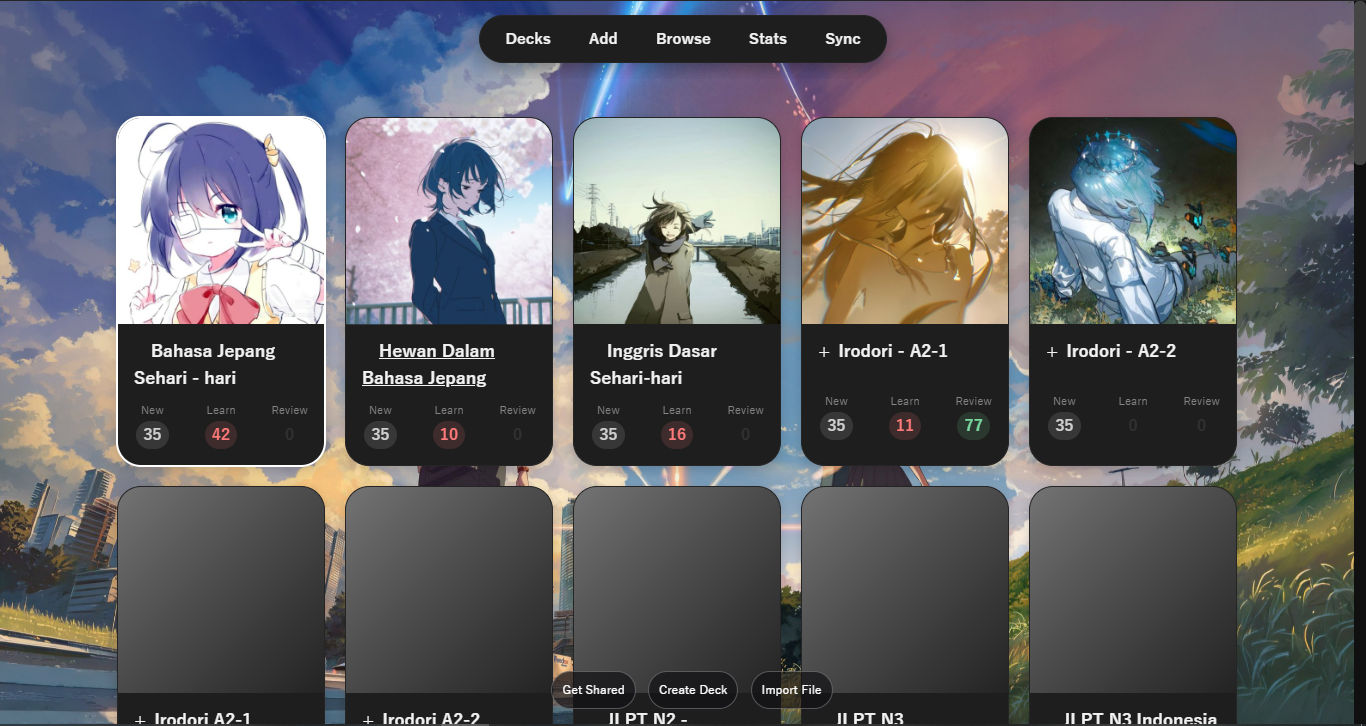
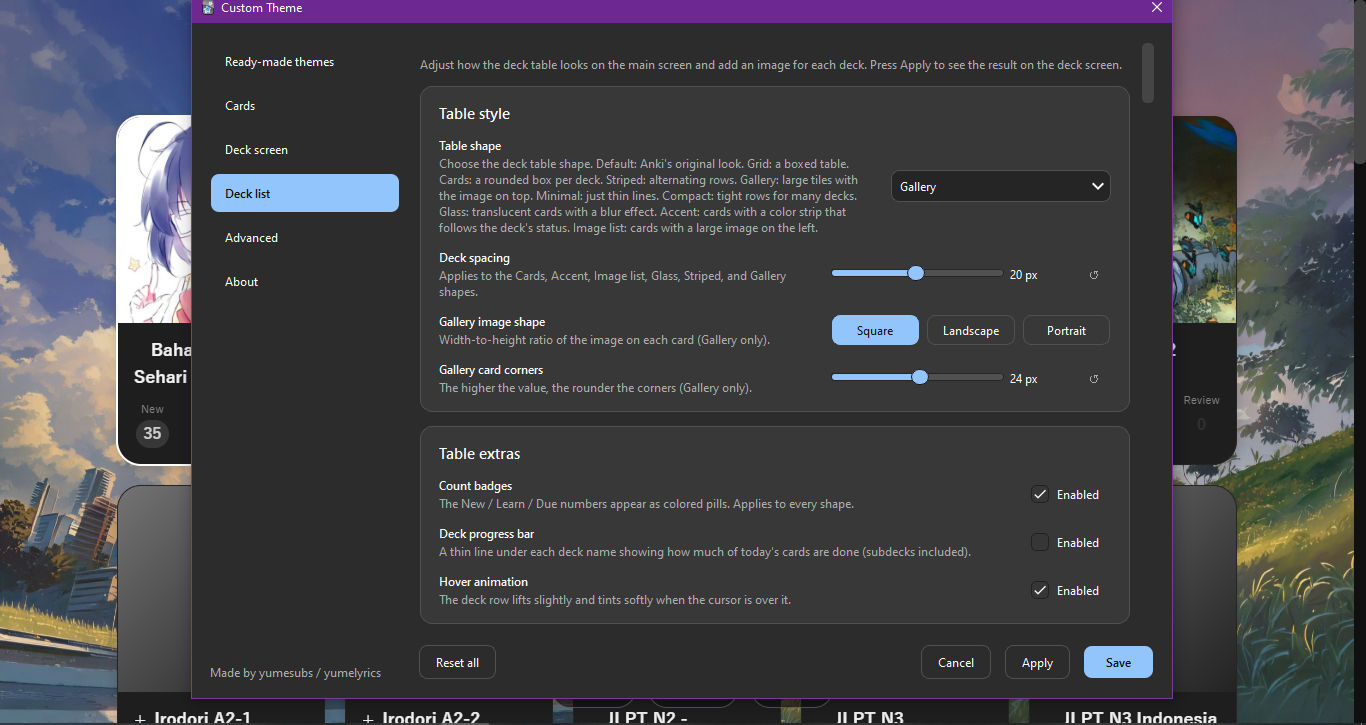
- A variety of deck list styles: Grid, Cards, Striped, Gallery, Minimal, Compact, Glass, Accent, and Image list.
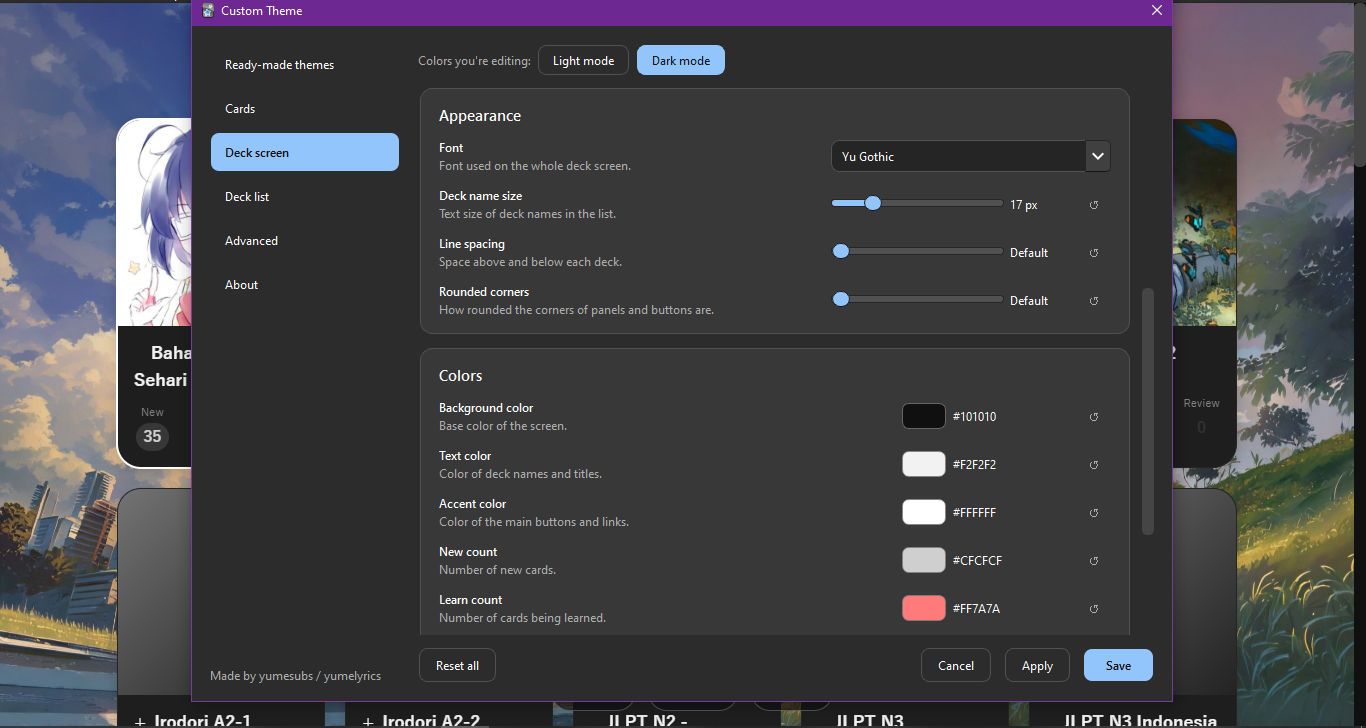
- Control over font, deck text size, row spacing, and rounded corners.
- Text, background, accent, and New / Learn / Due count colors for light and dark mode.
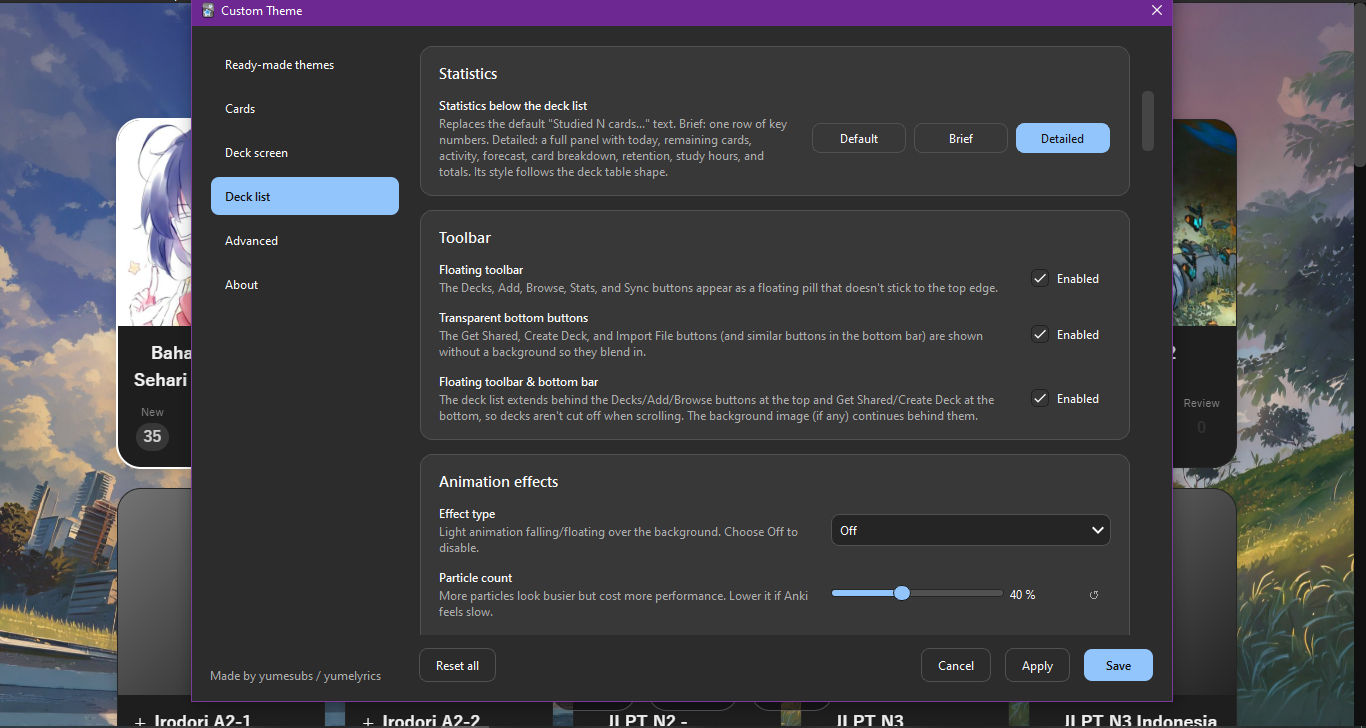
- Background image, floating toolbar, transparent bottom buttons, and a background that extends behind the toolbars.
- Count badges, per-deck progress bars, and a subtle hover animation.
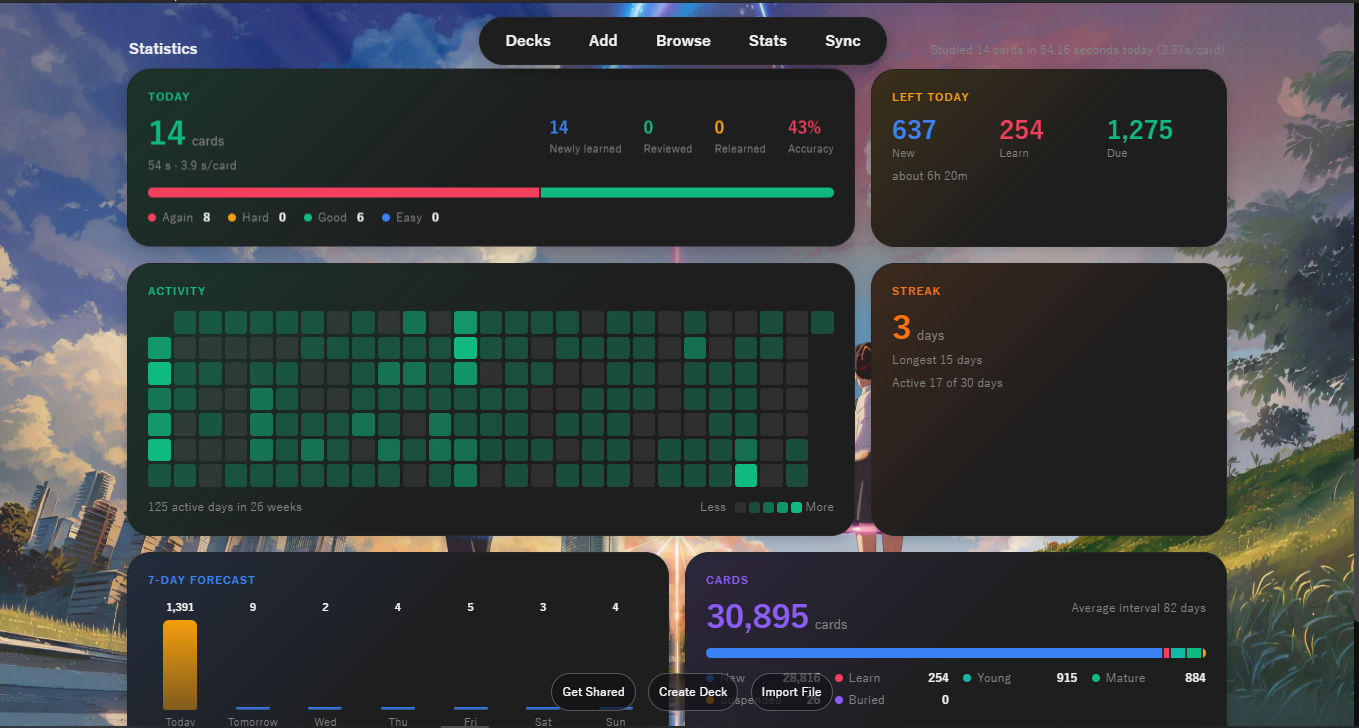
- A statistics panel (compact or detailed) that replaces Anki's default "Studied ... cards" line.
Images for each deck
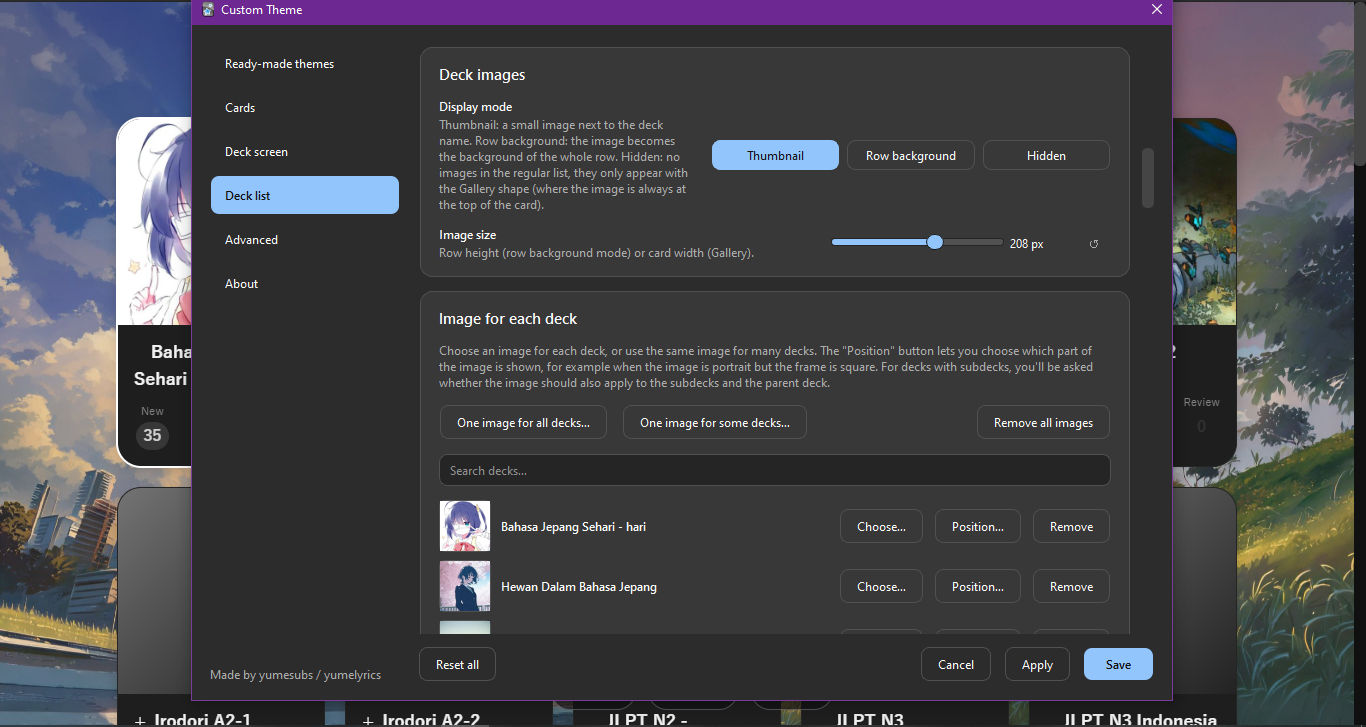
- Every deck can have its own image, with adjustable position and zoom.
- An image can be applied to several decks at once.
- Display modes: thumbnail, row background, or hidden, with square, landscape, or portrait frames in the Gallery style.
Animated effects
- Choose from snow, sakura petals, stars, fireflies, rain, and falling leaves.
- Particle count, speed, and opacity can be adjusted.
- Effects can also appear while you study, or be limited to the deck screen.
Ready-made themes
- Color themes: Sakura, Midnight, Sepia, Matcha, and High contrast.
- Gallery themes: Midnight, Sakura, Matcha, Dusk, and Mono.
- yumesubs' picks: a monochrome gallery theme with a snow effect.
- Every detail of a theme can still be changed on the other tabs.
Settings backup
- Export all settings to a .json file and import them again at any time, for example when moving to another computer or sharing with a friend.
- Deck images and background images are not included in the exported file.
- A "Reset all" button is also available to return to the default look.
Two languages
- The settings interface is available in English and Bahasa Indonesia.
How to Use
- Open Tools → Custom Theme… (or use the Config button in the add-ons list).
- Pick a ready-made theme or adjust each section yourself on the available tabs.
- Press Apply to see the result, or Save to apply and close the window.
Requirements
Desktop Anki version 23.10 or newer. This add-on changes the appearance of desktop Anki.
Credits and Support
Created by yumesubs (social media name) / yumelyrics (website name).
If you have a question or a suggestion, or if you run into any issue, please feel free to reach us through the Discord server above. Thank you for using this add-on.
Tema Kustom / Custom Theme
Tema Kustom adalah add-on untuk Anki versi desktop yang memungkinkan Anda mengatur tampilan kartu belajar dan layar daftar dek sesuai selera, melalui satu jendela pengaturan yang tertata rapi. Seluruh perubahan dapat dipratinjau terlebih dahulu dan baru berlaku setelah Anda menekan tombol Terapkan atau Simpan.
Fitur Utama
Tampilan kartu
- Pengaturan font, ukuran huruf, tinggi baris, perataan teks, dan lebar maksimal isi kartu.
- Pemakaian font dari berkas (.ttf, .otf, .woff) yang belum terpasang di komputer Anda.
- Pengaturan ukuran furigana.
- Warna teks, latar, tautan, dan furigana secara terpisah untuk mode terang dan mode gelap.
- Kolom CSS kustom bagi pengguna yang menginginkan kendali lebih lanjut.
Tampilan layar dek
- Beragam bentuk daftar dek: Garis, Kartu, Belang, Galeri, Minimal, Kompak, Kaca, Aksen, dan Daftar gambar.
- Pengaturan font, ukuran teks dek, jarak antarbaris, dan sudut membulat.
- Warna teks, latar, aksen, serta angka Baru, Belajar, dan Jatuh tempo untuk mode terang dan gelap.
- Gambar latar, toolbar mengambang, tombol bawah transparan, dan latar yang menyambung hingga ke belakang toolbar.
- Lencana angka, bilah progres per dek, serta animasi halus saat dek disorot.
- Panel statistik (ringkas atau detail) yang menggantikan teks "Studied ... cards" bawaan Anki.
Gambar untuk setiap dek
- Setiap dek dapat diberi gambar sendiri, lengkap dengan pengaturan posisi dan zoom.
- Gambar dapat diterapkan ke beberapa dek sekaligus.
- Mode tampilan: thumbnail, latar baris, atau disembunyikan, dengan pilihan bingkai persegi, lanskap, atau potret pada bentuk Galeri.
Efek animasi
- Pilihan efek: salju, sakura, bintang, kunang-kunang, hujan, dan daun gugur.
- Jumlah partikel, kecepatan, dan kepekatan dapat disesuaikan.
- Efek dapat ditampilkan pula saat Anda belajar, atau dibatasi pada layar dek saja.
Tema siap pakai
- Tema warna: Sakura, Midnight, Sepia, Matcha, dan Kontras tinggi.
- Tema galeri: Midnight, Sakura, Matcha, Senja, dan Mono.
- Rekomendasi yumesubs: tema galeri monokrom dengan efek salju.
- Seluruh rincian tema tetap dapat Anda ubah pada tab lainnya.
Cadangan pengaturan
- Ekspor seluruh pengaturan ke berkas .json dan impor kembali kapan saja, misalnya untuk berpindah komputer atau berbagi dengan teman.
- Gambar dek dan gambar latar tidak disertakan dalam berkas ekspor.
- Tersedia pula tombol "Atur ulang semua" untuk kembali ke tampilan bawaan.
Dua bahasa
- Antarmuka pengaturan tersedia dalam Bahasa Indonesia dan English.
Cara Menggunakan
- Buka menu Tools → Tema Kustom… (atau tombol Config pada daftar add-on).
- Pilih tema siap pakai atau atur sendiri setiap bagian pada tab yang tersedia.
- Tekan Terapkan untuk melihat hasilnya, atau Simpan untuk menerapkan sekaligus menutup jendela.
Kebutuhan
Anki desktop versi 23.10 atau lebih baru. Add-on ini memengaruhi tampilan pada Anki desktop.
Kredit dan Dukungan
Dibuat oleh yumesubs (nama di media sosial) / yumelyrics (nama untuk website).
Screenshots
Apabila Anda memiliki pertanyaan, saran, atau menemukan kendala, silakan menghubungi kami melalui server Discord di atas. Terima kasih telah menggunakan add-on ini.