AnkiWeb
- Rating
- 1 (👍 1 · 👎 0)
- Updated
- 2026-09-07
- Anki versions
- 25.07.1~
- Description language
- en
AnkiWeb addon 785759749
Adds a customizable floating typing scratchpad to Anki for writing answers, notes, and calculations during review, with shortcuts, transparency, auto-clearing, and position controls.
Open on AnkiWeb GitHub Ask about alternatives
active
| Min Anki | Max Anki | Updated |
|---|---|---|
| 23.10 | 25.07 | 2026-06-29 |
| 25.07.1 | + | 2026-09-07 |
Loading…
Adds a minimal floating Pomodoro timer HUD to Anki reviews, with focus rhythm tracking, automatic breaks, pause/resume, remaining cards, and session summaries.
Cycles through Normal, Standard, and Ultra focus modes via customizable shortcut, hiding Anki menus, toolbars, buttons, status bar, and card header for distraction-free review.
Adds a resizable, dark/light-adaptive translucent note-taking panel for jotting card notes, opened with n, with 12-point font, command-A select all, and notes deleted on new cards.
Build sentences by arranging interactive word tiles in Anki, with customizable layout, keyboard shortcuts, answer checking, automatic reveal, and cross-platform card support.
Adds a lightweight drawing and handwriting panel to Anki for writing, sketching, annotating, and taking notes during review with mouse, touch, pen, or stylus.
Opens a floating, customizable notepad with one key, wipes itself each card, and supports shortcuts, fonts, themes, dragging, and resizing.
A clean, distraction-free floating scratchpad for Anki.
Minimalistic Typing Panel lets you type notes, answers, or calculations directly during review without leaving your cards. Designed to stay lightweight and out of the way while improving focus and active recall.
Originally built for my own daily study sessions and later shared with the Anki community.
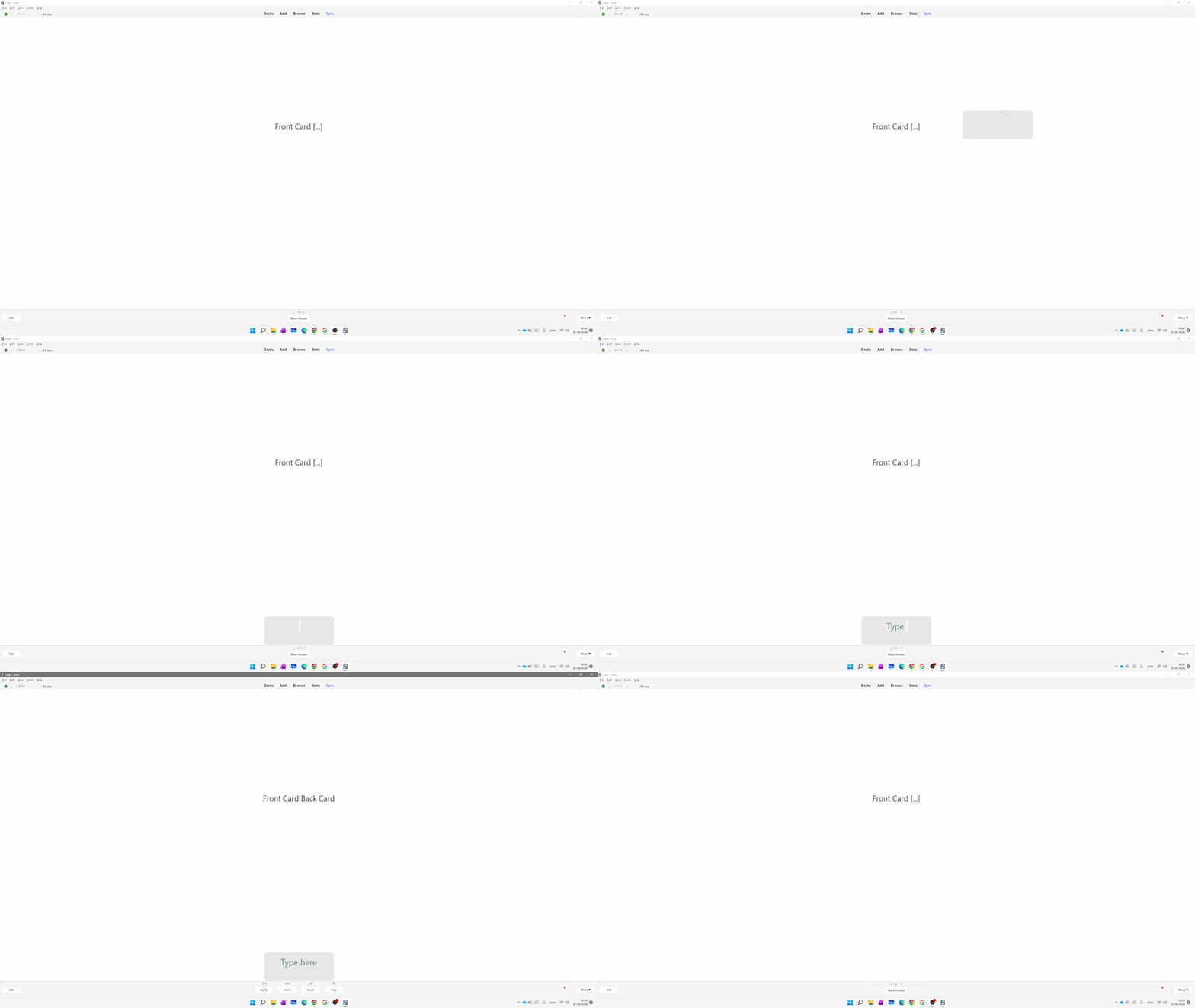
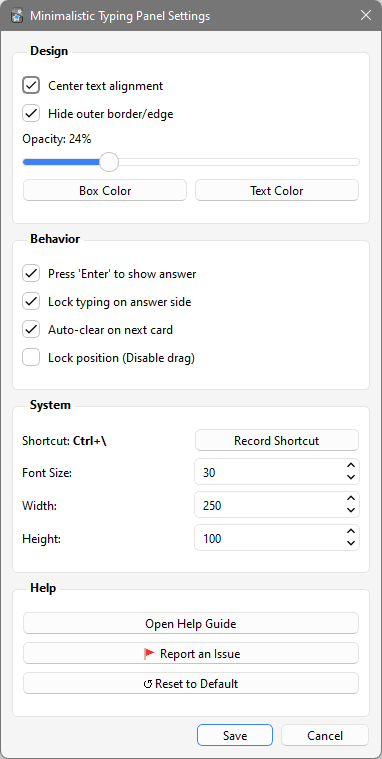
Download from AnkiWeb or clone this repository and copy the add-on into your addons21 folder.
I wanted a simple typing area that didn't interrupt my study flow.
After using it every day, it became part of my own review routine. I decided to share it in case it helps other students as much as it has helped me.
If you have suggestions, feature ideas, or improvements, feel free to open an issue or contribute to the project.
GitHub Issues:
https://github.com/Doummar/Minimalistic_Typing_Panel/issues
Stay focused, keep typing, and enjoy studying! - Adel