AnkiWeb
- Rating
- 22 (👍 20 · 👎 2)
- Updated
- 2025-04-23
- Anki versions
- 24.12~
- Description language
- en
AnkiWeb addon 999215520
Provides incremental reading tools for importing web content, extracting text into cards, highlighting, formatting, and scheduling extracts in Anki.
Open on AnkiWeb GitHub Forum topic Ask about alternatives
stale
| Min Anki | Max Anki | Updated |
|---|---|---|
| 24.06 | 24.12+ | 2025-04-23 |
Loading…
Supports incremental reading in Anki by importing articles, extracting and highlighting text, creating cards, custom shortcuts, and controlling scheduling and formatting.
Deprecated incremental reading tool imports web articles and feeds, extracts text into review cards, but its author directs users to a different maintained version.
Combines PDFs, EPUBs, videos, web pages, notes, and local files with flashcards in Anki study sessions, supporting extraction, priorities, progress tracking, and knowledge-tree organization.
Syncs Readwise Reader articles into a configurable Anki deck and note type for incremental reading, removing archived articles on resync.
Copies or cuts highlighted editor content into new notes or directly into the database, with special scheduling for tagged cards.
Embeds a web browser in Anki to search selected text, import website text and images into cards, and optionally open external browsers via context menus or shortcuts.
2021 Project Status: Active development will resume on Saturday the 27th of February.

Note: Version 4 of the add-on is only available for Anki 2.1+. Some features will be missing from the earlier versions.
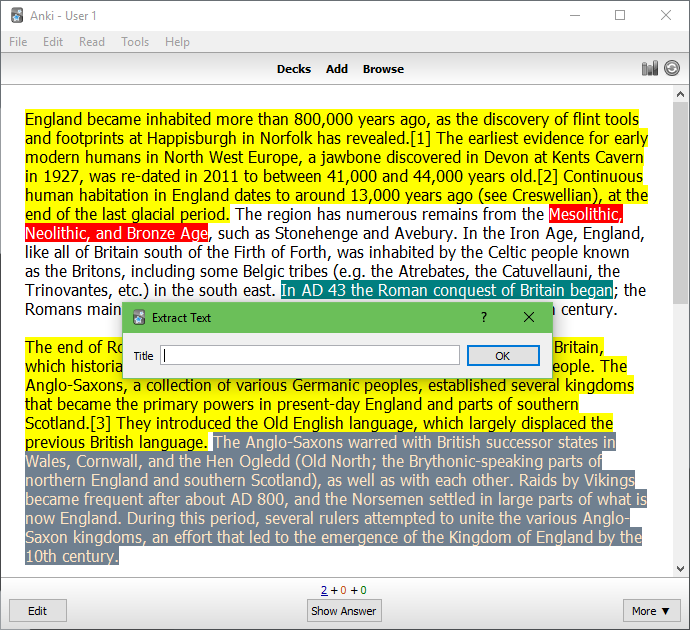
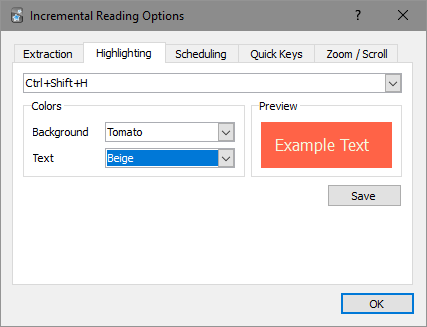
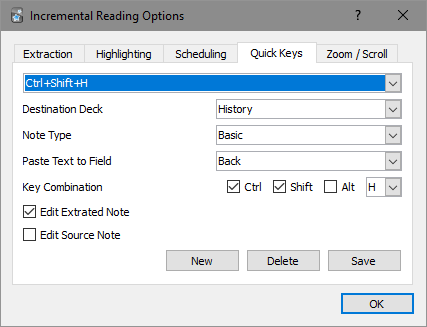
This is a rewrite of the Incremental Reading add-on, which aims to provide features that support incremental reading in Anki. The idea of working with long-form content within a spaced-repetition program appears to have originated with SuperMemo, which offers an elaborate implementation of the technique (see their help article for more information). This add-on for Anki is comparatively bare-bones, providing a minimal set of tools for iterating over long texts and creating new flashcards from existing ones. For an overview of these features, see below.
Note: These are fairly outdated.
You will first need to have Anki installed. Download the relevant installer here.
To install through Anki, navigate to Tools → Add-ons → Get Add-ons..., and enter the code 935264945. To install manually, download the GitHub repository (here) and place the ir folder into your add-ons folder.
Experimentation should lead to a pretty quick understanding of how the add-on works. If in doubt, start with the following:
Outdated instructions can be found here. They were written for v2, but the basic behaviour of the add-on is still similar.
If any issues are encountered, please post details to the Anki add-ons forum. It’s best if you post in the existing thread (here) so I receive an email notification. Otherwise, note an issue or make a pull request on GitHub.
Please include the following information in your post:
Multiple people have contributed to this add-on, and it’s somewhat unclear who to credit for which changes and which licenses to apply.
Tiago Barroso appears to have initiated the project, and he has stated that he releases all of his add-ons under the ISC license. Frank Kmiec later vastly expanded the add-on, but it’s unclear which license his changes were released under. Presuming he didn’t specify one, the AnkiWeb terms and conditions suggest they were automatically released under the AGPL v3. Aleksej’s changes to Frank’s version are multi-licensed under the GPL and ISC licenses.
For the sake of simplicity, my changes are also released under the ISC license. For each author, I have placed a copyright lines where appropriate, with what I believe are correct dates. If I have made a mistake in this respect, please let me know.
Frank Raiser released an Anki 1 add-on under a similar name, but it doesn’t appear to share any code with the current project and functions quite differently. For more information, see Anki Incremental Reading.