AnkiWeb
- Votes
- 0 (👍 0 · 👎 0)
- Updated
- 2026-10-14
- Anki versions
- 25.07~
- Languages
- CSS, Python, Handlebars, JSON
- Description language
- en
AnkiWeb addon 202810970
Turns text passages into click-the-word quizzes with instant feedback, configurable word styles, explanations, audio and images, working across Anki Desktop, AnkiWeb, AnkiDroid and AnkiMobile.
Open on AnkiWeb GitHub Ask about alternatives
active
| Min Anki | Max Anki | Updated |
|---|---|---|
| 23.09 | 25.07+ | 2026-10-14 |
Loading…
Builds sentences by arranging interactive word tiles instead of typing answers, with customizable card layout, optional answer check, and cross-platform Anki support.
Converts Anki cards into interactive multiple-choice quizzes with up to five options, optional shuffling and explanations, colour-coded selected-answer feedback, image support, and customizable settings.
Creates interactive drag-and-drop flashcards where you label images or sort items into categories, with instant feedback, shuffling, theme and layout options, across Anki Desktop, AnkiDroid and AnkiMobile.
Generates AI practice quizzes—multiple-choice, fill-in-the-blank, and true/false—from selected Anki decks, with scoring, answer explanations, card filtering, difficulty settings, and multilingual support.
Adds a customizable floating typing panel and scratchpad for Anki review, letting users type answers or notes before revealing cards, with auto-clear and shortcut forwarding.
Adds a draggable floating Pomodoro and study timer during review sessions, with automatic breaks, pause/resume, card counter, optional Focus Rhythm feedback, session summaries, and customizable display modes.
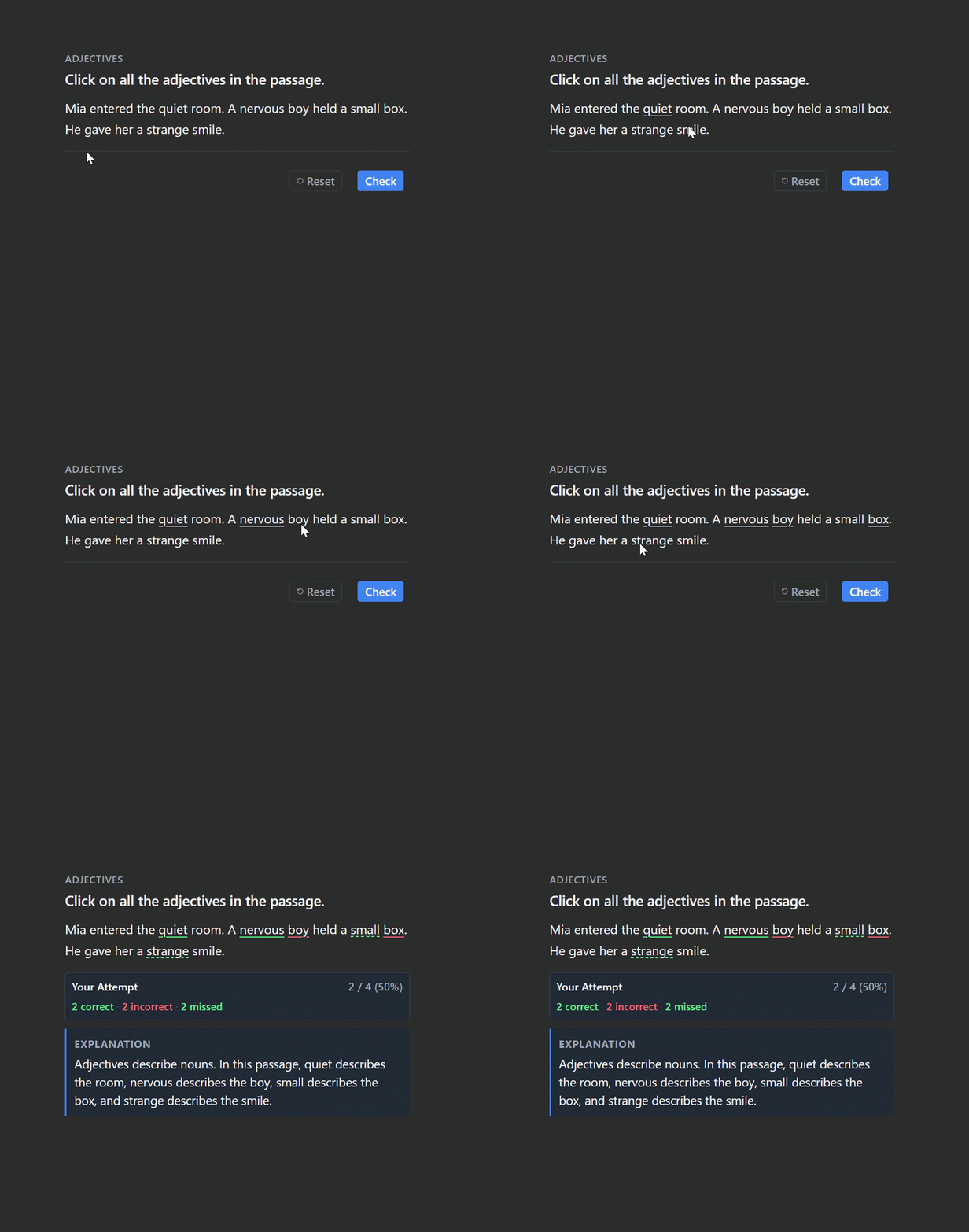
Click Words is a beta Anki add-on for interactive language learning, grammar practice, and vocabulary exercises. Turn text passages into click-the-word quizzes: select target words directly in the text and get instant feedback on your answers.
TargetWords field, separated by |.
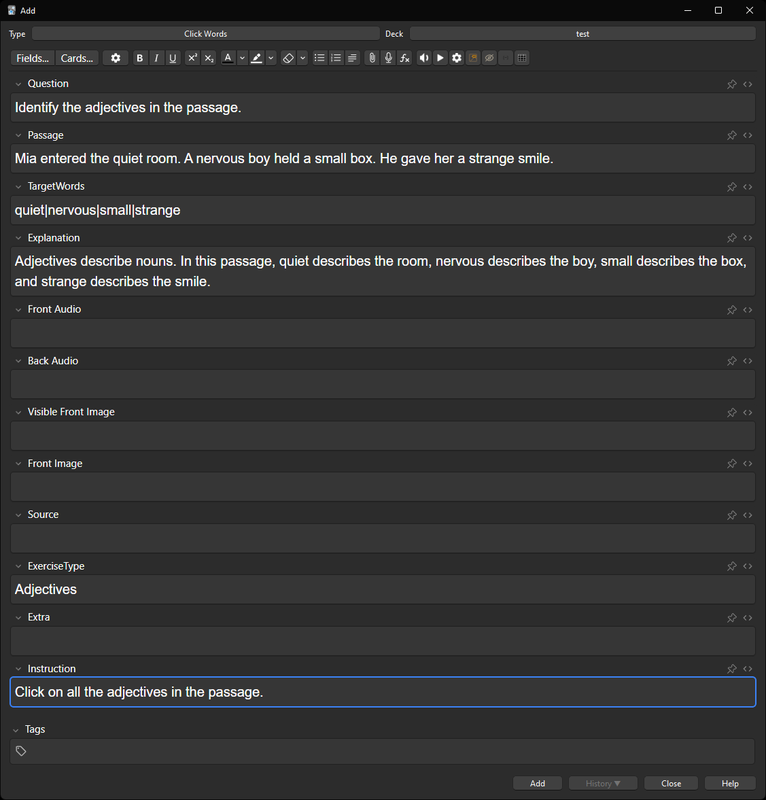
Click Words uses HTML, CSS, and JavaScript in its card templates, so interactive reviews do not require Python on the reviewing device. The note type and templates must be set up first.
Click Words is currently in beta. Bug reports, compatibility feedback, and suggestions are welcome.
Report a bug or suggest an improvement on GitHub.
FocusFlow — study sessions, focus tools, and progress tracking.
Grammar Trainer — interactive grammar and fill-in-the-blank exercises.
Multiple Choice Dropdown — interactive multiple-choice dropdown cards.
Mouse Buttons as Review Shortcuts — use mouse buttons and scrolling as Anki review shortcuts.
Click Words is an interactive Anki add-on for practicing word recognition in context. Read a passage, click the words that match the instruction, and check your answers instantly.
It is designed for grammar practice, language learning, and reading exercises.
| Field | Description |
|---|---|
| Instruction | The task or question shown on the card. |
| Passage | The text containing the words to identify. |
| TargetWords | Correct answers separated by | (pipe). For example: dead|stingy|heartless. Repeated words and punctuation are supported. |
| ExerciseType | Optional category, such as Adjective Forms. |
| Explanation | Optional explanation or grammar notes shown on the back. |
| Front Audio | Optional audio replay button on the front. |
| Back Audio | Optional audio replay button on the back. |
| Source | Optional source or reference. |
| Extra | Optional supplementary information. |
The interactive exercise is built into the card templates using HTML, CSS, and JavaScript. This allows the cards to run without the desktop add-on being installed on the reviewing device, provided the platform supports the required template functionality.
MIT License. Copyright (c) 2026