AnkiWeb
- Rating
- 4 (👍 4 · 👎 0)
- Updated
- 2026-08-26
- Anki versions
- 2.1.1~
- Description language
- en
AnkiWeb addon 620451841
Searches Notion databases to find existing Anki cards with matching tags and create new pre-tagged cards.
Open on AnkiWeb GitHub Ask about alternatives
active
| Min Anki | Max Anki | Updated |
|---|---|---|
| 2.1.1 | + | 2026-08-26 |
Loading…
Filters huge medical tag trees, applies AnKing/Malleus yield filters, promotes cards to personal decks, shows deck card-state bars, and adds keyboard shortcuts.
Syncs Notion pages, databases, rich blocks, images, and sub-pages into nested Anki decks with reversed toggles, image occlusions, and fast background operation.
Bidirectional Anki-Notion sync imports via query strings or readyMove tags, preserves and reconstructs learning history, and auto-creates fields, decks, and templates.
Transforms Anki's cluttered editor tag area into a customizable, interactive list with hierarchical nicknames, middle truncation, click-to-search, custom order, wildcard rules, import/export, and hover highlighting.
Syncs Notion toggle blocks with Anki cards both ways, mirroring pages as decks, updating in place, pushing edits, and cleaning orphans.
Converts subs2srs cards into Japanese vocabulary cards and searches Jisho to tag, convert, or create vocab notes.
<div align="Center">
<a href="https://malleuscm.notion.site"> <b> The Malleus Clinical Medicine Anki deck is the best continually updated clinical medicine anki deck for Australian and New Zealand medical students. </b> <div> <sup>👉 Vist <u>malleuscm.notion.site</u> to learn more 👈</sup> </div> </a>
<br />
This is an Anki addon that integrates with the Malleus Notion databases to seamlessly manage Malleus clinical medicine cards. The addon allows you to search across all of the Malleus Notion databases at once, find existing cards with matching tags, and create new cards with proper tagging.
A single search surfaces the best matches from every database — Subjects, Pharmacology, eTG, Rotation, Textbooks and Guidelines — and you can narrow it down with per-database filter chips. Tags (including subtags and yield levels) are applied automatically, and the local cache stays in sync with the daily Notion rebuild.
<br />
• Malleus Clinical Medicine Website • Ankiweb Link • Usage •
<a id="org724359b"></a>
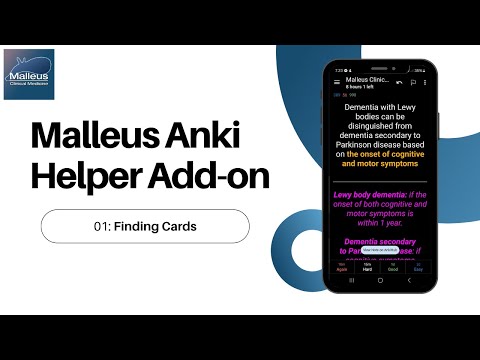
📺 Watch the full howto and showcase playlist on YouTube
</div>
<a id="org48ca793"></a>
<a id="org4bd0b74"></a>
Ctrl+Alt+M by default)<a id="org3f69585"></a>
If you are unsure of what particular subtag to use, leave the row set to Main Tag. You can also open the page selector directly from the Add Cards dialogue.
<a id="org335319f"></a>
<a id="orgc3dfd8f"></a>
Now on ankiweb: https://ankiweb.net/shared/info/620451841. To download this add-on, please copy and paste the following code into Anki 2.1:
620451841
<a id="org4e7a286"></a>
<details> <summary>Windows</summary>
Windows: %APPDATA%\Anki2\addons21\
</details>
<details> <summary>macOS</summary>
Mac: ~/Library/Application Support/Anki2/addons21/
</details>
<details> <summary>Linux</summary>
Linux: ~/.local/share/Anki2/addons21/
</details>
The add-on keeps a local cache of the databases and refreshes it automatically — on startup it checks GitHub and only downloads a database if it has actually changed since last time (see cache_expiry below). You normally never need to update it by hand.
If need be, you can also rebuild the cache directly from Notion yourself using the python script update_notion_cache.py (takes a little bit of time):
python3 ./update_notion_cache.py
<a id="orgb485ee1"></a>
Settings are edited via Tools → Add-ons → Malleus Clinical Medicine → Config. The most common ones to change:
deck_name — if you have renamed or moved the Malleus deck, set this to the correct name (use :: for subdecks) so the create card button opens to the right deck.shortcut — keyboard shortcut to open the Page Selector (default Ctrl+Alt+M).cache_expiry — number of days before the local cache is considered stale and the add-on re-checks GitHub. The check is conditional, so a short value keeps you in sync cheaply.Other options control auto-search behaviour, network timeouts, per-result card counts, and whether the yield/subtag selections are remembered between cards. See config.md for the full reference.
<a id="org3262658"></a>
<a id="org164e890"></a>
There are some issues when trying to use the add-on while the database is being updated. Please wait for the progress bar to finish before using the page selector.
<a id="org389a9f6"></a>
This project is licensed under the GNU Affero General Public License v3.0 (AGPL-3.0).
This license grants you the freedom to use, modify, and distribute this software, provided that any derivative work or distribution is also licensed under the AGPL-3.0. Additionally, if you deploy this software on a network, users interacting with it over that network must also be granted access to the source code.
For more details, please refer to the full license text in the LICENSE file or visit GNU AGPL-3.0 License.