AnkiWeb
- Rating
- 7 (👍 4 · 👎 3)
- Updated
- 2020-02-13
- Anki versions
- 2.1.15~
- Description language
- en
AnkiWeb addon 702944768
Translates vocabulary from PONS for Anki flashcards, allowing users to choose languages, optional grammar info, and copy selected translations onto cards.
Open on AnkiWeb GitHub Ask about alternatives
abandoned
| Min Anki | Max Anki | Updated |
|---|---|---|
| 2.1.0 | 2.1.15+ | 2020-02-13 |
Loading…
Translates selected Anki note fields between languages via the DeepL API, updating a chosen target field after users select a deck, source and target languages.
Automatically fills Anki cards with pronunciation, definitions, synonyms, Japanese translations, and related info, plus cloze and DeepL modes, using Merriam-Webster and Weblio APIs.
Translates vocabulary from the web via PONS in Anki’s editor, letting users choose languages, grammar info, and selected translations to copy to flashcards.
Extracts vocabulary from txt, pdf, or epub files via OpenAI, creating tagged beginner, intermediate, or advanced translation flashcards in chosen Anki decks with duplicate skipping.
Imports LUTE terms into Anki as simple Front/Back cards, with filters, tags, deck selection, auto-import, ease adjustments, and manual configuration.
Imports words from Kindle's Vocabulary Builder into chosen Anki decks, optionally translating them via Google Translate and including usage examples.
######v1.1 Anki-Translator is a Add-On for the flashcard program Anki.
This Add-On translates vocabularies for you. So if you want to add a new flashcard to your deck you can open this Add-On and let it find translations for you from the web.
All the Translations come from PONS.
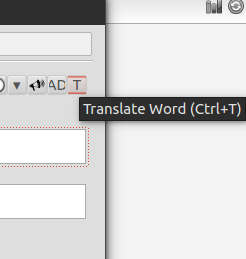
Just click this translate button in Anki's Editor.

A new window opens where you choose the source and target languages and if you want grammar infos (like grammatical gender, etc.).
After you entered the vocable and clicked on 'Translate' the translations get loaded. You mark the checkboxes of the translations you want to have on your flashcard and leave the window with a click on 'OK'.
The chosen translations get copied on your flashcard.
You can change the default values for source and target language and also for the grammar infos. Just change the values of the variables in the file 'Translator.py'. You can find the file in the Add-Ons Folder of your Anki Installation.
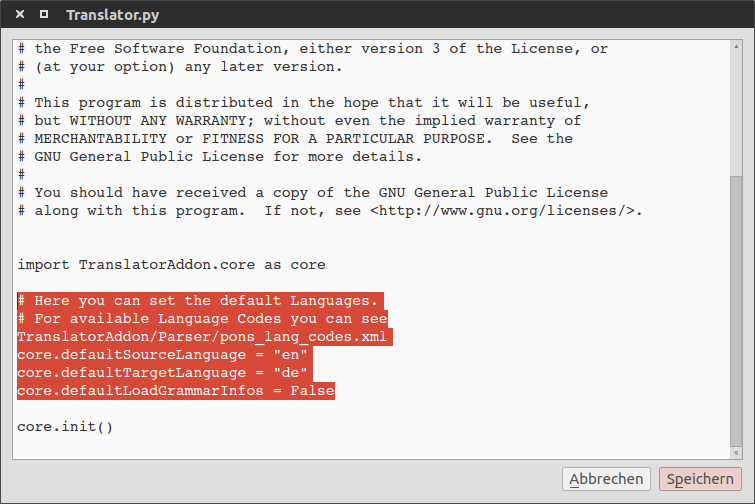
(See the highlighted lines.)
This Add-On is also posted on the Anki Add-Ons Website. You can use the Add-On Installer, which is integrated into Anki, to install the Translator. The Downloadcode is '300631469'.
Or you can download this project and copy the 'Translator.py' file and the 'TranslatorAddon' folder into your Anki Add-On directory.