AnkiWeb
- Rating
- 0 (👍 0 · 👎 0)
- Updated
- 2026-07-07
- Anki versions
- 25.07.1~
- Description language
- en
AnkiWeb addon 769018946
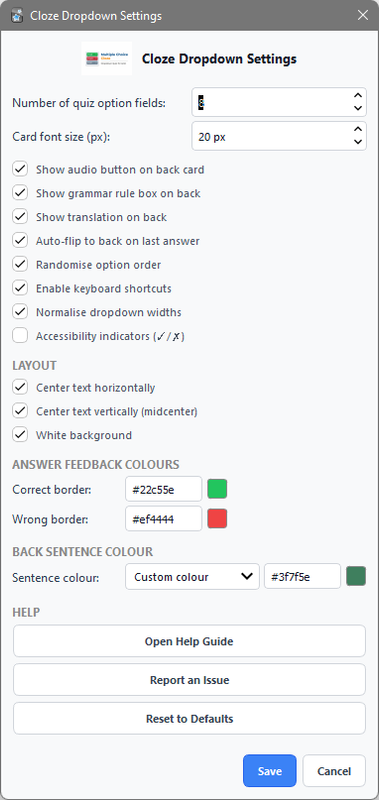
Converts Anki cloze deletions into interactive dropdown multiple-choice quizzes with customizable feedback, answer ordering, keyboard shortcuts, and automatic card flip.
Open on AnkiWeb GitHub Ask about alternatives
active
| Min Anki | Max Anki | Updated |
|---|---|---|
| 23.10 | 25.07 | 2026-06-27 |
| 25.07.1 | + | 2026-07-07 |
Loading…
Converts cloze cards into on-demand multiple-choice hints using Gemini AI or offline distractors, with hotkeys, instant feedback, caching, and customizable settings.
Transforms Anki cloze cards into interactive fill-in-the-blank exercises with multiple input fields, instant feedback, hints, dropdown answers, and duplicate-cloze autofill.
Build sentences by arranging interactive word tiles in Anki, with customizable layout, keyboard shortcuts, answer checking, automatic reveal, and cross-platform card support.
Adds a customizable floating typing scratchpad to Anki for writing answers, notes, and calculations during review, with shortcuts, transparency, auto-clearing, and position controls.
Creates interactive multiple-choice dropdown quizzes in Anki with shuffled answer choices, customizable distractors, optional hints, and cross-device review.
Adds editor buttons and a Markdown note type that render fill-in-the-blank, multiple-choice, annotations, and other interactive study elements in Anki.
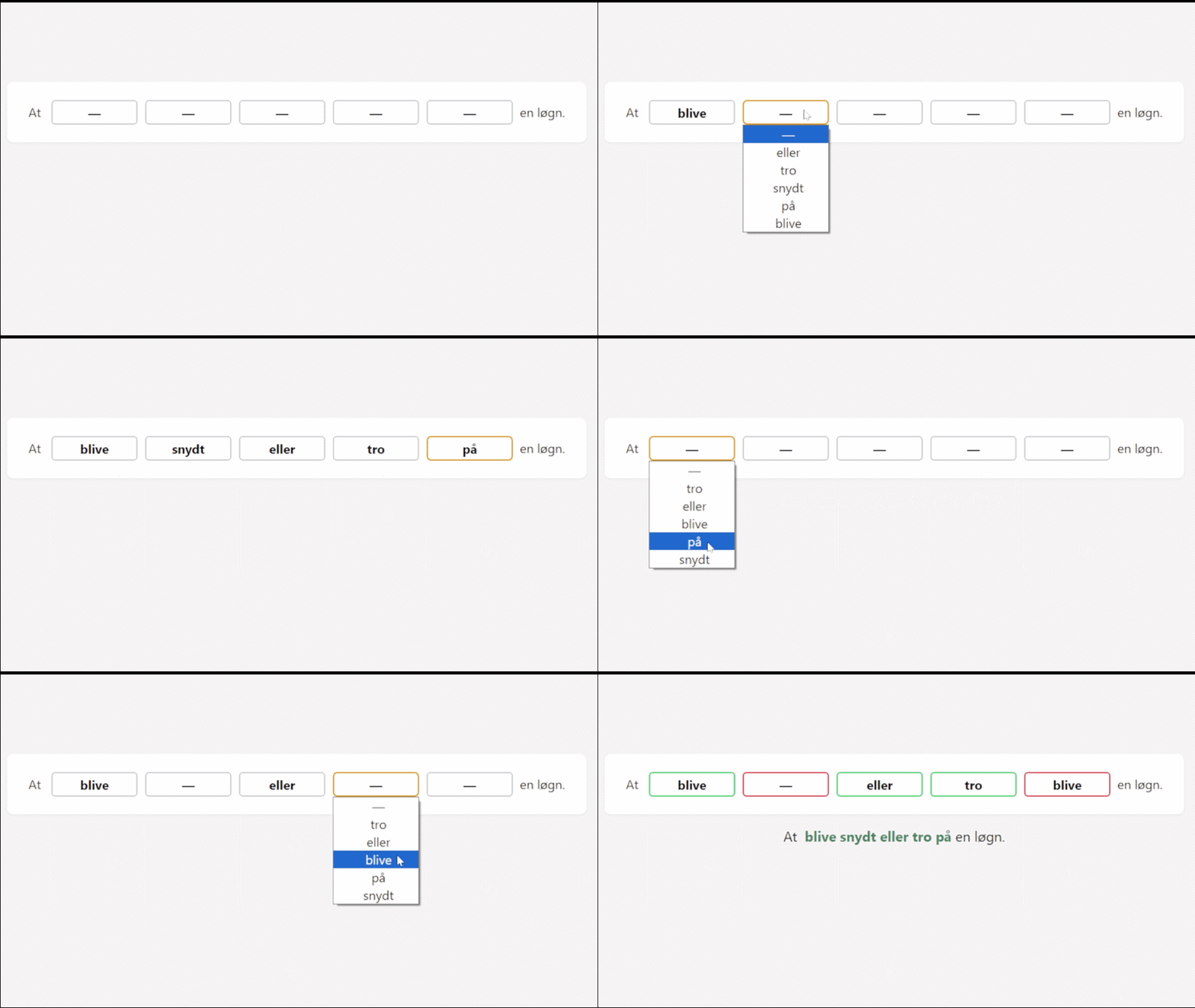
Transform traditional Anki cloze cards into interactive dropdown quizzes.
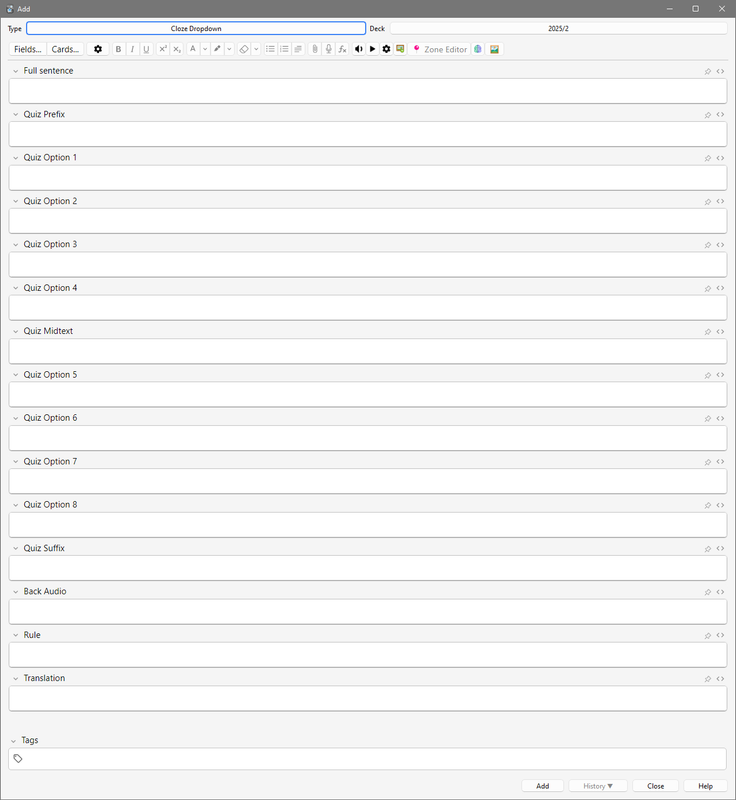
Cloze Dropdown replaces standard cloze blanks with configurable dropdown menus, creating a clean multiple-choice learning experience while preserving the flexibility of normal cloze cards.
Originally built for my own daily study sessions and later shared with the Anki community.
Download directly from:
https://ankiweb.net/shared/info/769018946?cb=1782588890235
C:\Users\YOUR_NAME\AppData\Roaming\Anki2\addons21\
~/Library/Application Support/Anki2/addons21/
~/.local/share/Anki2/addons21/
I wanted the flexibility of Anki cloze cards while making reviews feel more interactive and engaging.
This add-on has become part of my own daily study routine, and I continue to improve it whenever I discover a better workflow.
If you have suggestions, feature ideas, or improvements, I'd love to hear them.
Found a bug or have an idea?
Open an issue:
https://github.com/Doummar/Cloze_Dropdown/issues
Study smarter, choose confidently, and keep learning! - Adel