AnkiWeb
- Votes
- 0 (👍 0 · 👎 0)
- Updated
- 2026-10-09
- Anki versions
- 25.09.2~
- Languages
- Python, JSON
- Description language
- en
AnkiWeb addon 86370913
Syncs MedMatrix flashcards into Anki for native scheduling and offline study, while sending review ratings and study time back to MedMatrix.
Open on AnkiWeb Ask about alternatives
active
No GitHub repository linked.
| Min Anki | Max Anki | Updated |
|---|---|---|
| 2.1.66 | 25.09.2+ | 2026-10-09 |
Loading…
Builds interactive chess flashcards that each hold a complete line, integrate Anki's grading, support PGN/FEN creation, desktop and iOS, plus syncing shared decks and tactical drilling.
Connects Anki desktop decks to a mobile city-building app, syncing review metadata so study progress earns coins, residents, and city-building unlocks.
Counts the cards you answer and sends only that count to a browser-based farm game, batching and retrying when offline.
Reads PDFs inside Anki, links flashcards to their exact source page, and uses Gemini AI to generate cloze cards and explanations.
Warns when scheduled reviews fall on or after an exam and brings them forward, while adding a review-driven farming mini-game with crops, pets, and house upgrades.
Adds collaborative peer notes, a private Markdown notebook, and an embedded AI chat and web viewer directly into Anki's reviewer for studying.

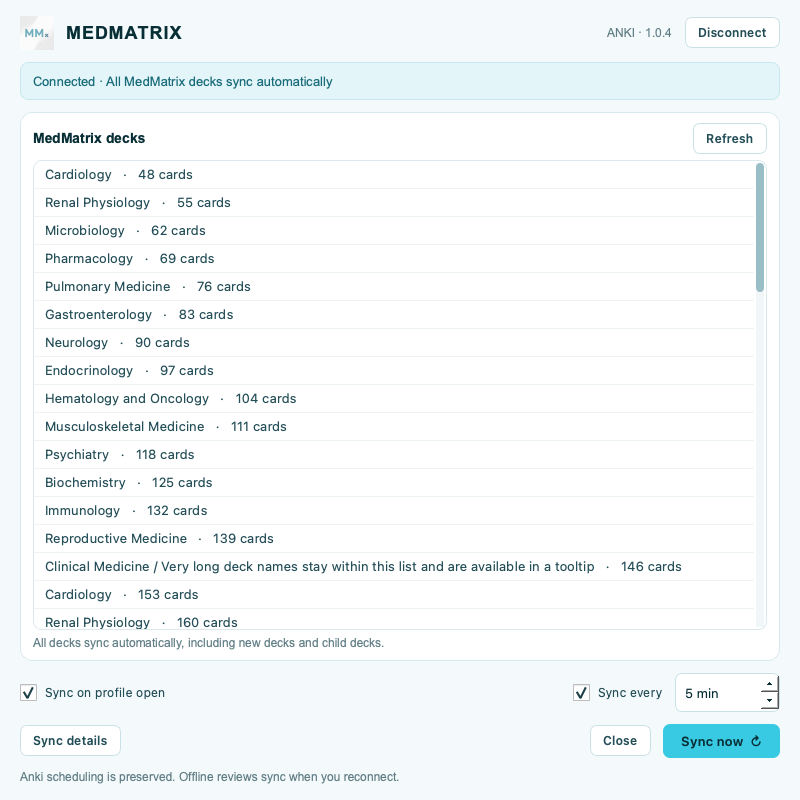
Bring your MedMatrix flashcards into Anki and keep your review activity reflected in MedMatrix. Your decks sync automatically, Anki handles scheduling, and your cards stay ready for offline study.
Requires a MedMatrix member account and Anki desktop.
MedMatrix checks for updates on launch and daily. Verified updates download in the background and install the next time Anki starts, preserving your connection, settings, cards, scheduling, and queued reviews.
Open Tools → MedMatrix updates… to turn Auto-update MedMatrix off or use Check for updates manually. MedMatrix's updater supports both AnkiWeb and direct installations. For AnkiWeb installations, Anki's normal add-on updates also remain available.
Visit MedMatrix Support or email admin@themedmatrix.com.